Instagram Auto Views Explained: How They Work and When They Are Worth It
Instagram auto views explained: how a plan spots new videos, what Instagram counts as a view, what it misses and when a plan is worth paying for.
In this article
Quick answer: Instagram auto views are a plan that watches your public profile and adds a set number of views to every new video you post. No per-video orders. They suit accounts that publish video several times a week, but they can't reach Stories, Live or private profiles, and may miss Trial Reels still in trial.
You post Reels most days, and ordering views for each one by hand is a chore that slips whenever life gets busy. Miss one and it sits at a low count beside busier videos. Meanwhile most pages selling auto views skip how detection works and what Instagram actually counts as a view. This guide explains both, so you can decide whether a plan suits the way you post.
What are Instagram auto views?
Instagram auto views are a set-and-forget version of a normal views order. Instead of pasting a link for every video, you hand a provider your public username once, and its system spots each new upload and delivers your chosen number of views to it while you get on with posting.
Here's how the Mega Followers auto views plan works, as listed on the plan page in September 2026. You pick a views-per-post tier and a posts limit, then pay once. The plan covers your next 30 videos over 30 days, and heavy posters can raise that to 60, 90 or 120 videos at checkout.
Nothing renews on its own. When the 30 days end, you decide whether to start another plan or take a break.
How Instagram auto views work, step by step
Every auto views service runs on the same basic loop, although the details below are ours and other providers differ in how often they check and how quickly they deliver. Here is the sequence.
- Choose how many views each new video should get.
- Choose a posts limit that matches how often you publish.
- Enter your public Instagram username. No password, no login.
- Pay by card, bank transfer, crypto (USDT) or wallet balance.
- Post as normal. The system checks your public profile for new videos and starts delivery when it finds one.
- Delivery paces in gradually on each video until the plan hits its time or posts limit.
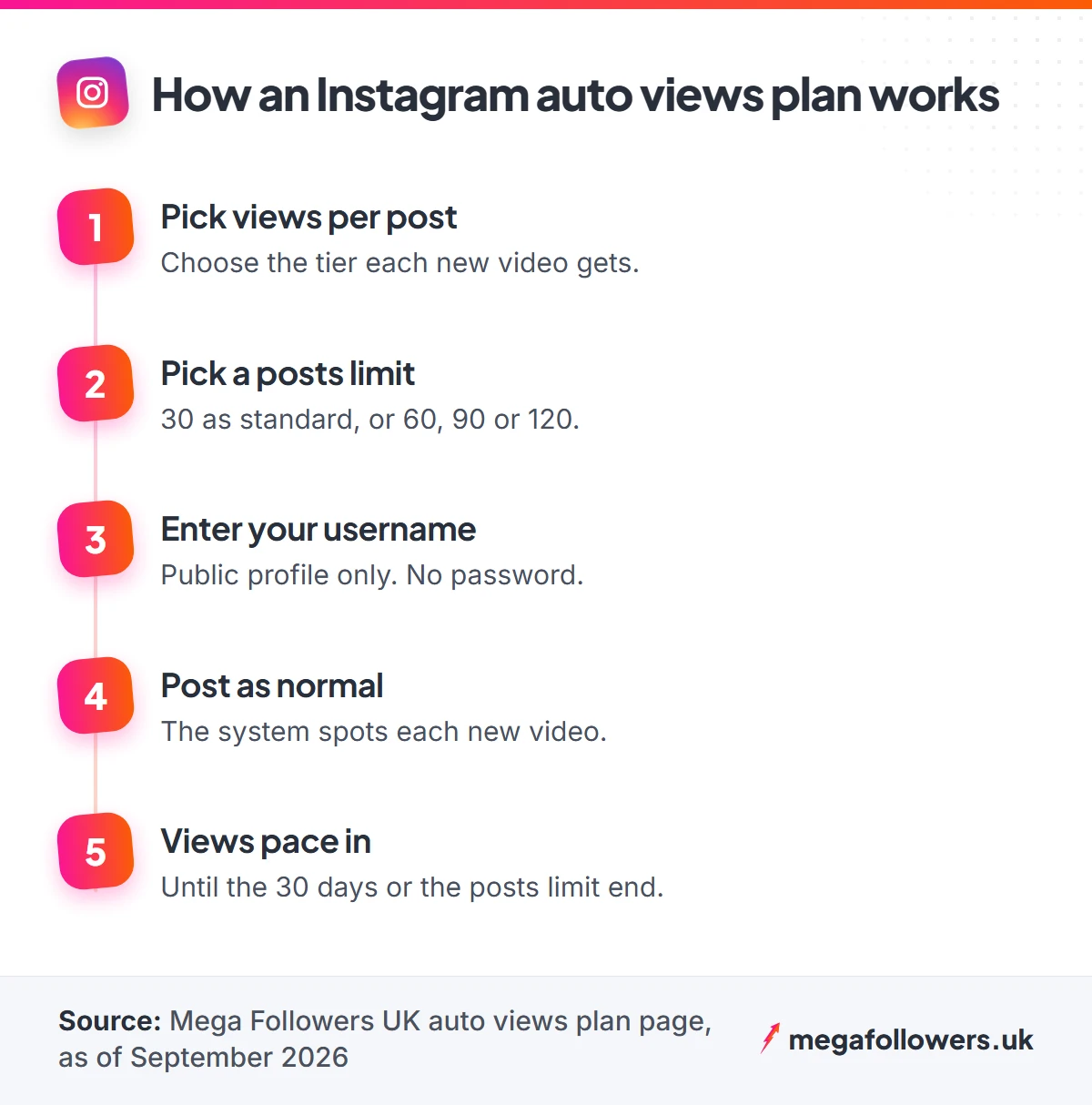
Step 5 explains most problems people hit. The system sees only what a logged-out visitor sees on your profile, so the plan misses anything you hide from the public.
What Instagram counts as a view
Instagram's Reels insights help page defines a view as every time your reel begins playing, and replays count too. Watch time is separate. It adds up how long people spent playing the reel, replays included.
The same page lists Viewers, a newer metric that estimates how many different accounts had your reel appear on their screen, even if it never started playing. Instagram calls it estimated and still in development. One person can therefore create several views while counting as a single viewer.
What most guides get wrong: plenty of sales pages still describe a three-second rule for Instagram views. Instagram's own help page, checked in September 2026, mentions no such threshold and counts every start or replay as a view.
Why does this matter for auto views? A plan raises the view count people see under your video. Watch time, saves and shares still depend on whether the video holds attention, which is why the next section looks at what a plan can reach and what it can't.
What auto views cover and what they miss
Coverage comes down to one question: can the system see the video on your public profile? This table sets out the usual cases.
| Content | Covered by an auto views plan? | Why |
|---|---|---|
| Reels | Yes | Published to your public profile |
| Carousels that include video | Yes | Sit on your profile grid |
| Standard video posts | Yes | Sit on your profile grid |
| Stories | No | Disappear after 24 hours and don't sit on the grid |
| Live broadcasts | No | Not a grid post |
| Trial Reels during the trial | Check with support first | Hidden from your public profile until shared |
| Any video on a private account | No | Detection needs a public profile |
| Videos beyond your posts limit | No | The plan stops at 30, 60, 90 or 120 posts |
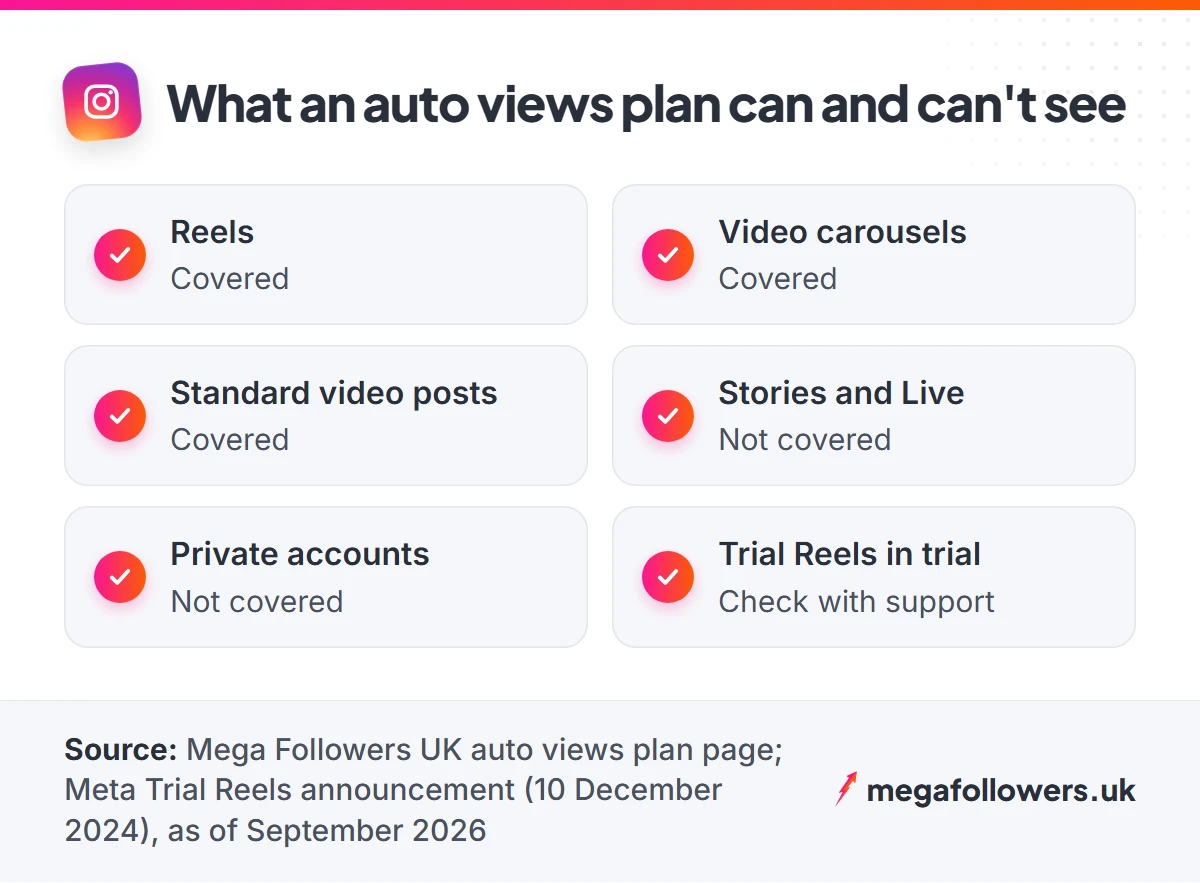
Trial Reels deserve a closer look. Instagram's Trial Reels announcement explains that a trial goes to non-followers first, and the reel sits in your profile area alongside drafts where others can't see it. A system that reads your public grid has nothing to detect until you share the reel with everyone.
Auto views vs one-off views vs Reel views
Auto views are one of three ways to add views to Instagram video. Which one fits? That depends on how often you post, how many videos need help and how long you want refill cover to last, since the windows run from 30 days to a full year.
| What matters | Auto views | One-off views | Reel views |
|---|---|---|---|
| How ordering works | One plan, detects each new video | One order per video link | One order per Reel link |
| Best for | Regular video posting | A single existing video | A Reel you want covered long term |
| Refill cover | 30 days per covered post | 30 days | 365 days |
| Needs a public account | Yes, for the whole plan | Yes, during delivery | Yes, during delivery |
Rarely post video? One-off Instagram views cost less for a single boost. For a campaign Reel you want protected for a year, Instagram Reel views carry the longest refill window we offer. All three need only your public link or username, never your password.
When are Instagram auto views worth it?
Instagram auto views are worth it when you publish video on a steady schedule and want every upload to start with visible social proof. They are poor value when you post video once a fortnight, because the plan's 30-day window runs out before the posts do.
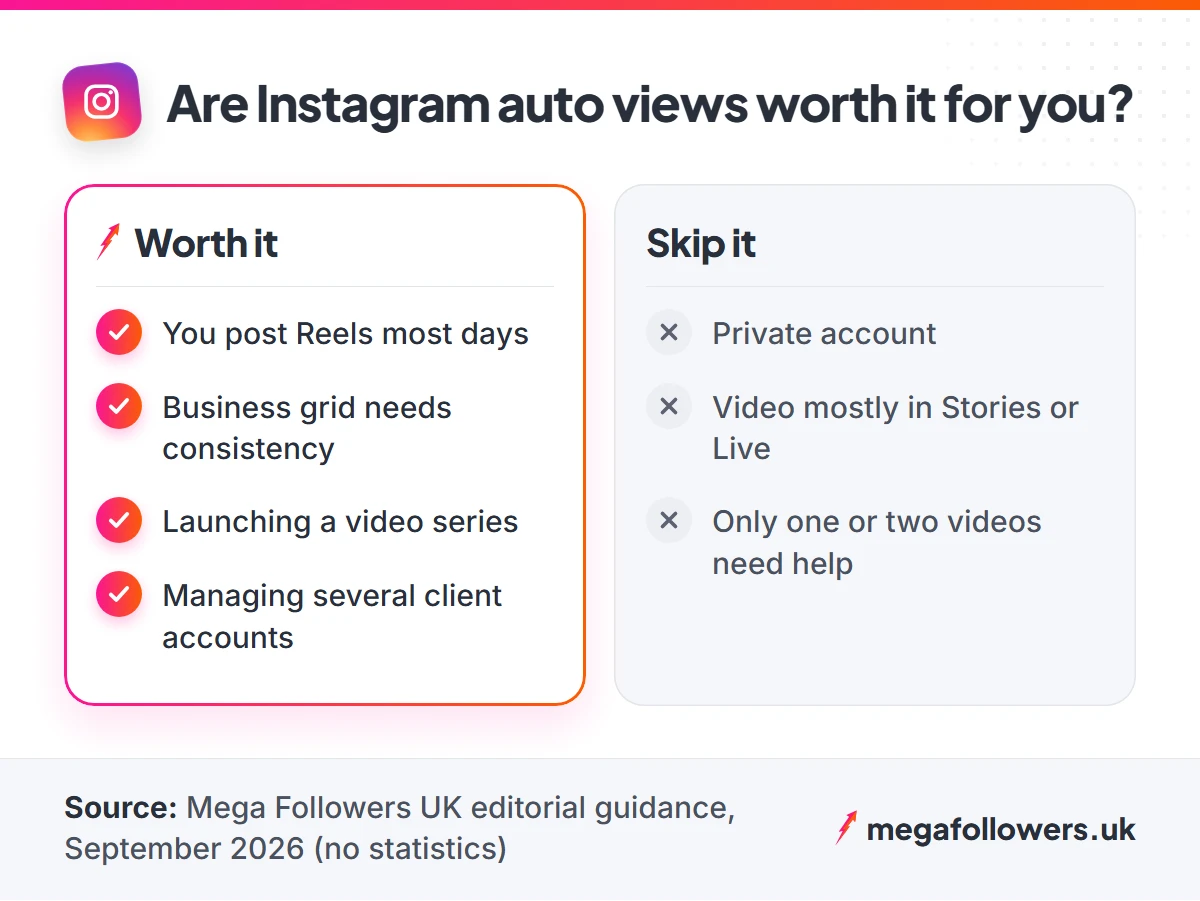
Worth it when
- You post Reels or video most days
- You run a business account that needs a consistent-looking grid
- You're launching a series and want each episode to open strong
- You manage several clients and don't want to order per post
For example, a Bristol bakery posting one Reel each weekday publishes about 22 videos in 30 days, so the base 30-post limit covers it with room to spare. A creator posting three times a day hits 30 posts in ten days. That account needs the 90 or 120 limit.
Skip it when
- Your account is private, or you plan to switch it
- Most of your video lives in Stories or Live
- You only need a lift on one or two existing videos
Our refund policy adds one more reason to size the plan well. Auto plans cover the number of posts you choose at checkout, and cover for posts you don't publish isn't refunded, so match the posts limit to your real schedule.
How to get the most from an auto views plan
Views bring people to the first second. Instagram's ranking explainer says its most important Reels predictions include whether a viewer will reshare a reel and watch it all the way through. So the video itself still decides how far it travels.
Choose a views-per-post tier that sits comfortably next to your follower count and your recent organic videos. A jump that looks natural on your grid reads as momentum; a wild mismatch invites questions from anyone who checks. Keep five habits while a plan runs:
- Keep the account public for the full 30 days
- Open every video on its payoff, never a logo
- Size the posts limit to your real schedule, with a little headroom
- Share Trial Reels with everyone before you count on delivery
- Add automatic Instagram likes if you want likes to rise alongside views
Never give any provider your password. Back in November 2018 Instagram removed inauthentic likes and follows created by third-party apps that people had handed their username and password to. A genuine auto views plan needs your public username and nothing else.
Set it once, then keep posting
Auto views take the admin out of social proof. Post on a steady schedule, keep the profile public, and let each new video start with a visible audience.
Timing still matters for the viewers who follow. Our guide to the best time to post on Instagram covers UK posting windows. For refills, payments and plan questions, see our help and FAQs page.
Instagram auto views FAQ
Do Instagram auto views work on Stories?
No. Auto views plans cover videos that sit on your profile grid, such as Reels, video carousels and standard video posts. Stories disappear after 24 hours and never join the grid, and Live broadcasts fall outside cover for the same reason. If Stories carry most of your video, a one-off views order won't help either.
Will auto views renew and charge me again?
Not with Mega Followers. Each plan is a one-time payment for a fixed 30-day window, and nothing renews unless you order another plan yourself. Billing terms differ between providers, so read any checkout page carefully before paying. Set a reminder for day 28 if you want to continue.
What happens if I don't post for a few days?
Nothing goes to waste straight away. Views only go out when you publish a new eligible video, so a quiet week simply pushes your remaining posts later in the window. The plan ends at 30 days or at your posts limit, whichever comes first. Unused posts after day 30 don't carry over or earn a refund.
Do I need to give my Instagram password for auto views?
Never. A genuine plan detects new videos from your public profile, so it only needs your username. Instagram's own 2018 crackdown removed fake likes, follows and comments created through third-party apps that people had handed their login details to. Any provider asking for your password should lose your business.
Can I use auto views on more than one account?
Yes, with one plan per account. Each plan watches a single public username, so a social media manager running several client profiles needs a separate plan for each. Match each posts limit to that client's schedule, because a busy restaurant account and a monthly-update estate agent use video very differently.
Do auto views count towards Instagram Viewers?
Instagram doesn't say. Views count each time a reel starts to play or replay, while Viewers estimates unique accounts that saw it on screen. Instagram calls Viewers estimated and in development, so expect the two numbers to differ and judge your content on watch time and shares too.