How to Delete an Instagram Account in the UK: Step-by-Step for 2026 and 2027
How to delete an Instagram account in 2026: the exact steps on app and desktop, delete vs deactivate, saving your data first and what happens after.
In this article
Quick answer: Here's how to delete an Instagram account: open your profile, tap Menu, then Accounts Center (or Meta Account), Profiles and personal details, your account, Deactivation or deletion, Delete account and Continue. You can undo it for about 30 days (varies by region), and full removal takes up to 90 days. To take a break instead, choose Deactivate account.
You want out, or at least a break. The trouble is that Instagram moved its settings again, so the button you remember from an old guide probably isn't where it used to be.
This guide shows how to delete an Instagram account in 2026, step by step, on the app and on a computer. It also covers the gentler option of deactivating, what to save first, and the subscriptions deleting won't cancel for you.
How to delete an Instagram account in the app
Deleting takes seven taps. Every one of them sits inside Accounts Center, which is why older guides that send you to Settings, Account and a Delete button at the bottom no longer match what you see on screen. These are the steps from Instagram's own help page, Permanently delete or deactivate your Instagram profile, for the iPhone app:
- Tap Profile or your profile picture in the bottom right.
- Tap Menu in the top right.
- Tap Accounts Center, then tap Profiles and personal details.
- Tap Manage next to the account type you want to delete.
- Tap Deactivation or deletion.
- Tap the profile you'd like to permanently delete.
- Tap Delete account, then tap Continue.
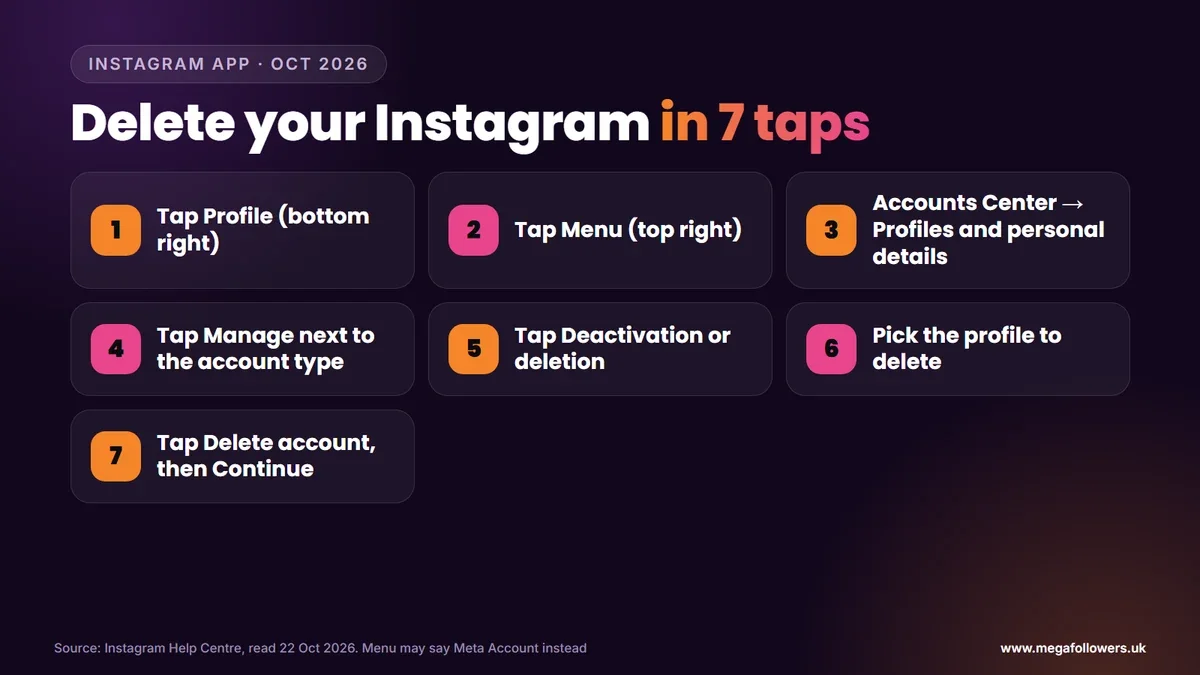
Can't find Accounts Center? Meta is gradually moving people to a new settings area called Meta Account. Instagram's help page says you may see either name. If your menu says Meta Account, the deletion steps inside it work the same way.
Instagram asks for your password before the request goes through. Then it's done. There's also a shortcut: Instagram says you can go straight to Accounts ownership and control inside Accounts Center and start from there.
How to delete Instagram on a computer
On a computer, the route starts from the left-hand menu at instagram.com. Instagram's computer instructions run like this:
- Click More in the bottom left, then click Settings.
- Click Accounts Center, then click Profiles and personal details.
- Click Manage next to the account type you want to delete.
- Click Deactivation or deletion.
- Click the account you'd like to permanently delete.
- Click Delete account, then click Continue.
Either device works. What you can't do is ask Instagram to delete an account for you, because the help page says you'll need to be able to log in to request deletion. If you've lost access, recover the login first and delete afterwards.
Delete or deactivate: which one do you need?
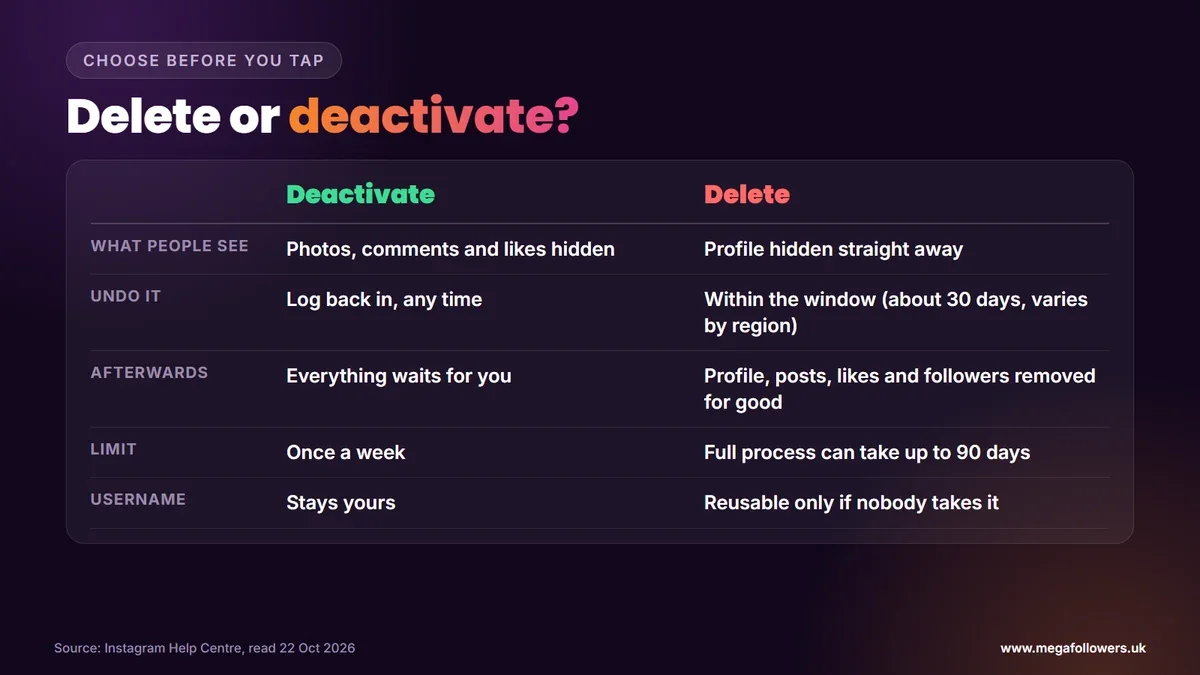
Deactivating hides your account; deleting removes it. That's the whole decision, and it's worth a minute of thought before you tap anything permanent.
| Deactivate | Delete | |
|---|---|---|
| What people see | Your photos, comments and likes are hidden | Your profile becomes inaccessible to others straight away |
| How to undo it | Log back in | Cancel within the window (about 30 days, varies by region) |
| After the window | Nothing changes until you return | Profile, photos, videos, comments, likes and followers are permanently removed |
| How often | Once a week | One deletion per account |
| Your username | Stays yours | Reusable only if nobody else takes it first |
Pick deactivation if any part of you might come back. Your followers, posts and messages are all waiting when you log in again. Deletion is the right call only when you're sure, because once the process finishes, Instagram says there's no way to restore the account.
How to deactivate Instagram temporarily
Deactivation follows almost the same path. Instagram's help page, Temporarily deactivate your Instagram profile, lists these steps for the app:
- Tap Profile, then Menu in the top right.
- Tap Accounts Center, then Profiles and personal details.
- Tap the profile you want to deactivate, then Deactivation or deletion.
- Tap Deactivate account, then Continue.
- Re-enter your password, choose a reason and tap Deactivate account.
You can deactivate from a computer, a mobile browser or the app. Two limits catch people out. You must be able to log in, and you can only deactivate once a week, so don't use it as a quick hide-and-seek between arguments.
Save your photos and messages before you delete
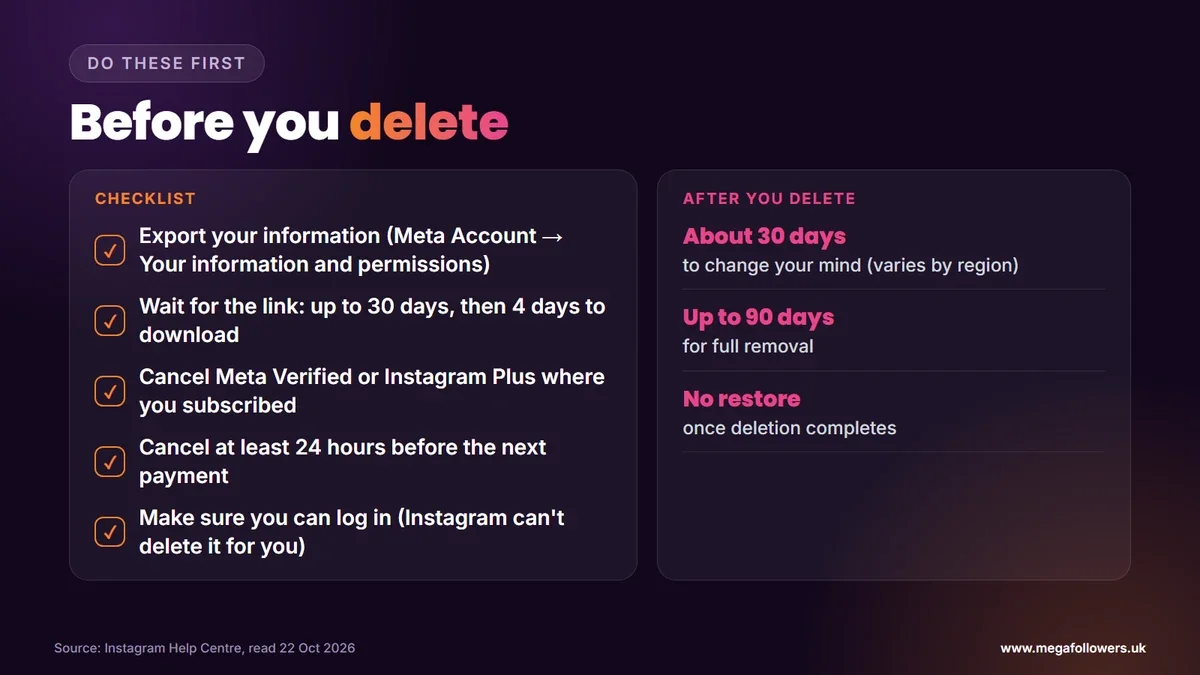
Export everything first, because the export tool disappears with the account. Instagram's help page is blunt about it: after deletion you won't have access to the Export your information tool.
The export now lives under Meta Account. Instagram's export help page gives this route on the app:
- Tap Menu, then Meta Account, then Your information and permissions.
- Tap Export your information, then Create export.
- Select your profile and tap Next.
- Choose Export to device or Export to external service, then Start export.
Plan for the wait. Instagram says it may take up to 30 days to email you an export link, and once the file is ready you have 4 days to download it. Request the export, wait for the email, save the file, and only then delete.
What happens after you delete your account
The clock starts the moment you confirm. During the cancellation window your content isn't visible to other people, and logging back in cancels the request. Instagram notes that the number of days you can cancel varies by region and doesn't publish a UK-specific figure, so treat 30 days as the guide.
After that window, Instagram permanently removes your profile, photos, videos, comments, likes and followers. Instagram adds that the whole process may take up to 90 days, that backup copies can last a little longer, and that it can keep some information for legal issues, terms violations or harm prevention.
Your username survives in one sense only. You can sign up again with the same name if nobody else has claimed it in the meantime, unless Instagram removed the account for breaking its rules.
Cancel paid subscriptions first
Deleting the app won't stop the payments. Not even close. Instagram's help page on cancelling Meta Verified says signing out or deleting the Instagram or Facebook apps won't cancel your subscription. It doesn't say that deleting your account cancels it either, so cancel it yourself before you go.
Cancel in the same place you signed up: the App Store, Google Play or Meta on a computer. Instagram asks for at least 24 hours' notice before the next payment, and because it gives no refunds for the period you've already paid for, leaving it until the last day costs you nothing extra while leaving it too late costs you another month.
Instagram Plus, the subscription Instagram launched on 4 June 2026, works the same way. Its cancellation sits under Menu, Accounts Center, Subscriptions, Instagram Plus and Subscription details.
Instagram in 2027: what's changing in the UK
Two changes are worth knowing about if you're thinking about leaving or coming back. The government said on 15 July 2026 that it expects its ban on social media services for under-16s to start in spring 2027, backed by age checks. It also set out overnight curfews for 16 and 17-year-olds.
Meta's switch from Accounts Center to Meta Account is also still rolling out. Our view: by 2027, expect every deletion and export setting to sit under Meta Account, so look there first if this guide's menu names don't match yours.
Starting again with a new account
Plenty of people delete one account to start a cleaner one, often for a business, a side project or a fresh niche. The hard part is the first few weeks, when a brand-new profile with no followers looks untested to every visitor.
That's the cold-start problem, and social proof solves it fast. Mega Followers UK supplies Instagram followers, UK Instagram followers and Instagram likes from real-looking accounts, with no password required and a 30-day refill guarantee. Before you build again, read how the Instagram algorithm works and the best time to post on Instagram, or check our FAQs.
FAQ: deleting an Instagram account
How long does it take to delete an Instagram account?
You can cancel for about 30 days after you ask Instagram to delete your account, though it says the exact window varies by region and gives no separate UK figure. After that, Instagram permanently deletes your profile and information. The full process can take up to 90 days, and backup copies may last slightly longer.
Can I recover a deleted Instagram account?
Only during the cancellation window. Log back in before it ends and you cancel the deletion. Once the window closes and deletion completes, Instagram says there's no way to restore the account, so export your photos and messages before you start.
What's the difference between deactivating and deleting Instagram?
Deactivating hides your photos, comments and likes until you log back in. Nothing disappears. Deleting permanently removes your profile, posts, comments, likes and followers once the cancellation window ends, and nobody can bring them back after that. You can only deactivate once a week.
Can I delete Instagram without logging in?
No. Instagram's help page says you need to be able to log in to request deletion, and it can't delete an account on your behalf. If you're locked out, recover access through Instagram's login help first, then follow the deletion steps.
Does deleting Instagram cancel Meta Verified?
Don't rely on it. Instagram says signing out or deleting the app won't cancel Meta Verified, and its help page doesn't confirm that deleting the account does. Cancel it where you subscribed, at least 24 hours before your next payment.
Can I use the same username after deleting my account?
Yes, if nobody else has taken it. Instagram lets you sign up again with the same username once your old account is gone, unless Instagram removed that account for breaking the Community Standards. Don't count on it. Popular names go fast.
Why can't I find Accounts Center on Instagram?
Meta is gradually moving people to a settings area called Meta Account, so Instagram's help page says you may see either Accounts Center or Meta Account. Open Menu from your profile and look for whichever name appears. The deletion options sit inside both.