Can You See Who Shared Your Instagram Post? The UK Answer for 2026 and 2027
Can you see who shared your Instagram post? Instagram's own answer for 2026, how to see your share count, how reposts work and how to stop post sharing.

In this article
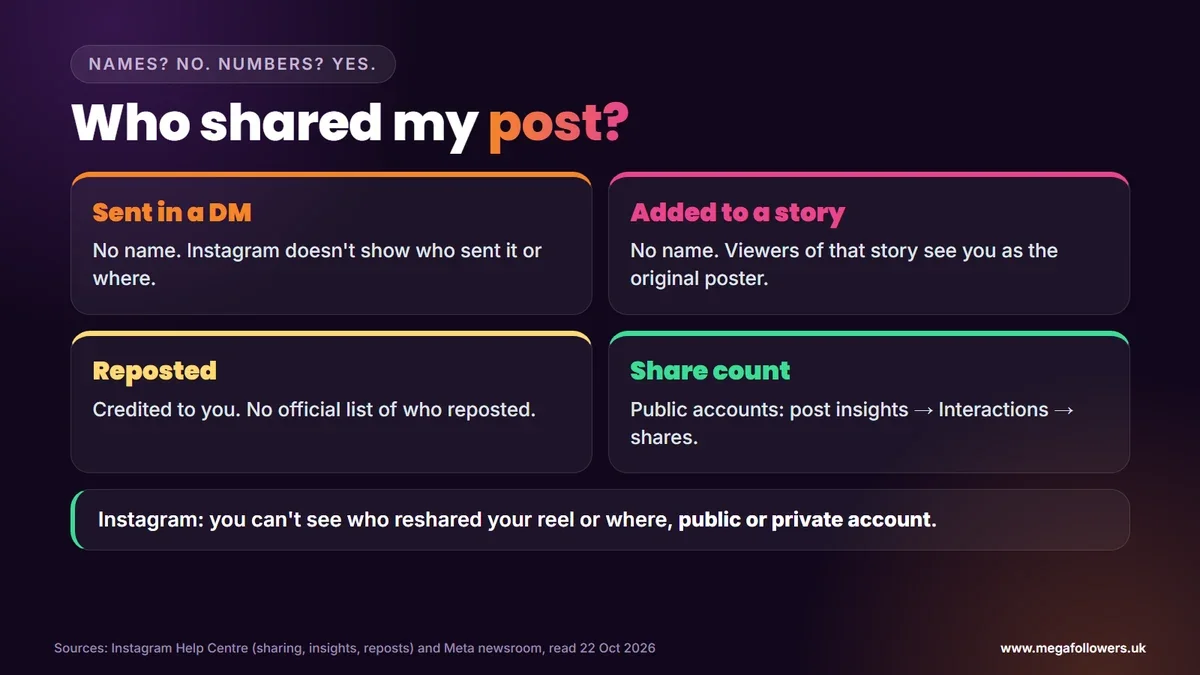
Quick answer: Can you see who shared your Instagram post? No. Instagram says you can't see who reshared your post or reel, or where, whether your account is public or private. Public accounts see the total number of shares in the post's Insights, under Interactions. Reposts credit you, but nobody gets a list of reposters.
Your post's share count jumped overnight. Now you want names. Was it a friend, a brand, or a group chat full of people you've never met who found it funnier than you expected?
This guide answers the question straight from Instagram's own help pages. It covers the share numbers you can see, how story shares and the newer reposts work, how to stop people sharing your posts, and what to expect through 2027.
Can you see who shared your Instagram post?
No, Instagram doesn't show names. Its help page on sharing posts to your story says you won't be able to see who has reshared your reel or where they shared it to, regardless of whether you have a private or public account.
That covers the two most common kinds of sharing: someone sending your post in a DM, and someone adding it to their story. Neither creates a list you can open.
What you get instead is a number. It tells you how far a post travelled, even though it can't tell you who carried it.
How to see how many people shared your post
Shares show up as a count in Insights. Instagram's page on post insights lists Interactions, which covers actions such as likes, comments, saves and shares. You need a public account to see it, personal or professional.
Open the post or reel on your profile, open its insights and look under Interactions. The shares figure sits there with the other interactions.
Instagram keeps post insights for up to two years, so you can check older posts too. A high share count compared with likes usually means people found the post useful or funny enough to pass on, which is the kind of post worth making more of.
Viewers may also see the counts on your post itself. Instagram's settings include a Hide like & share counts option, which tells you share counts are visible unless someone hides them.
How story shares work
Someone can share your post to their story only if your account is public and you allow resharing. When they do, Instagram says anyone who views that story can see who originally posted it, so your name travels with the post.
| Way someone shares your post | Do you see who? | What you do see |
|---|---|---|
| Sends it in a DM | No | Nothing that names the sender |
| Adds it to their story | No | Share count; viewers see you as the original poster |
| Reposts it | No list | The repost credits you as the original poster |
| Screenshots it | No | Nothing at all |
Story shares only last as long as the story. If you spot a jump in shares, the story it sits in may already be gone within a day.
Reposts: the newer way your post can spread
Reposts arrived in August 2025. Meta's announcement of new Instagram features says reposts credit the original poster, and that Instagram may recommend reposted content to the reposter's followers, even if those people don't follow you.
Instagram's repost help page adds the details. You can repost public reels or posts, reposts appear in a dedicated repost tab on the reposter's profile, and you can't repost a repost. Comments on a repost reach the reposter as direct messages.
What the help page doesn't mention is a list of who reposted you. You may still spot reposts by checking the repost tabs of people you know, but Instagram gives no official way to see them all.
How to stop people sharing your Instagram posts
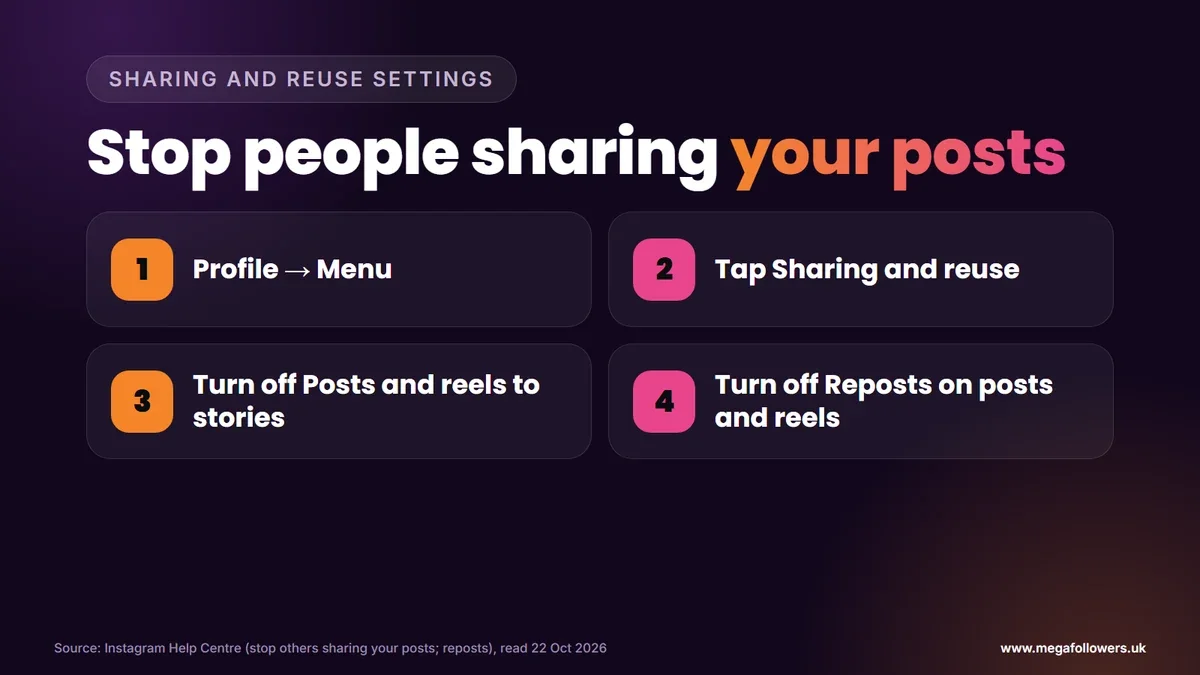
You can switch both kinds of sharing off. Instagram's help page on stopping others sharing your posts gives the steps for story shares:
- Go to your profile and tap Menu.
- Tap Sharing and reuse, below How others can interact with you.
- Turn off Posts and reels to stories.
- To block reposts as well, turn off Reposts on posts and reels in the same menu.
Going private limits things further. Story shares and reposts both need a public post, so a private account shuts both doors at once, although nothing stops someone taking a screenshot.
Think twice before switching everything off. Shares put your post in front of people who've never seen your account, which makes them one of the cheapest ways to grow. Losing that hurts.
Instagram sharing in 2026 and 2027
Instagram hasn't announced any change to share visibility for 2026, and reposts remain the most recent big shift. Meta is gradually moving settings from Accounts Center to Meta Account, so the Sharing and reuse menu may sit under a new name during 2027.
The UK's bigger change is about the audience. The government said on 15 July 2026 that it expects its ban on social media services for under-16s to start in spring 2027. Our view: posts aimed at teenagers may see fewer shares once it starts, while content for adults shouldn't notice much.
Make your posts worth sharing
People share posts that already look popular. A post with healthy likes and views gives a new viewer confidence that it's worth passing on, and every share puts your account in front of someone new.
Mega Followers UK helps posts make that strong first impression. Our Instagram likes, Instagram reel views and Instagram followers come from real-looking accounts, with no password required and a 30-day refill guarantee. For more reach, read how the Instagram algorithm works and the best time to post on Instagram, or check our FAQs.
FAQ: who shared my Instagram post
Does Instagram tell you when someone shares your post?
No. According to the help page, you can't see who reshared your reel or where they shared it, on a public or private account. You only see the total in Insights, under Interactions. Instagram's help pages don't describe any notification that names the sharer, so the count is all you get.
Can you see who shared your post to their story?
Not by name. When someone adds your post to their story, the share shows up in your count, and anyone who watches their story can see you as the original poster. Instagram doesn't list the accounts that did it. Story shares need your account to be public with resharing allowed.
Can you see who reposted your Instagram post?
There's no official list, and Instagram's repost help page doesn't describe one. Each repost credits you as the original poster and appear in a repost tab on each reposter's profile. Meta says Instagram may recommend reposts to the reposter's followers, so a repost can reach people who've never seen your account.
Can a personal account see how many shares a post has?
Yes, if it's public. Insights are open to public accounts, personal or professional, and post insights include shares within Interactions. Private personal accounts don't get insights. Viewers may also see share counts on the post itself, unless the owner turns on Hide like & share counts.
How do I stop people sharing my Instagram posts?
Go to your profile, tap Menu, then Sharing and reuse, and turn off Posts and reels to stories. In the same menu, turn off Reposts on posts and reels. Making your account private also stops story shares and reposts, though people can still screenshot a post or send its link.
Can you see who sent your Instagram post in a DM?
No. Nobody can see who sent your post in a DM or who received it. The help page is clear that you can't see who reshared your content or where it went, whatever your privacy setting. Your overall share figure in Insights is the only clue that your post is travelling.