How to Download a GIF From Twitter (X): 5 Ways That Work in 2026 and 2027
How to download a GIF from Twitter (X): the Premium download option, 4 free methods, why GIFs save as MP4 and what UK copyright allows when you reuse one.
In this article
Quick answer: To download a GIF from Twitter (now X), the official way is X Premium: tap the three dots on the post and choose Download video, if the poster allows it. Without Premium, you can bookmark the post, share its link, screen record it, or use a downloader site. You'll get an MP4 file, because X stores GIFs as video.
You find the perfect reaction GIF on X, press and hold to save it, and nothing happens. Or you save it and get a video file instead of a GIF.
Both are normal. Here's how to download a GIF from Twitter properly, why it arrives as an MP4, the five methods that work and the UK copyright rules to know before you reuse one.
Why a GIF from X downloads as a video
X doesn't serve GIFs as GIF files. Its developer documentation describes posted GIFs as an "animated_gif" media type that X delivers as a single looping MP4 video file. So whatever method you use, you'll usually end up with an MP4.
That's fine for most uses. MP4s are smaller than GIFs, look sharper and play in almost every messaging app. If you need a true .gif file, convert the MP4 afterwards, which the last section covers.
GIFs also play like video inside X. The X help page on videos notes that native videos and GIFs autoplay in timelines and the Explore tab, which is another sign they're handled as video.
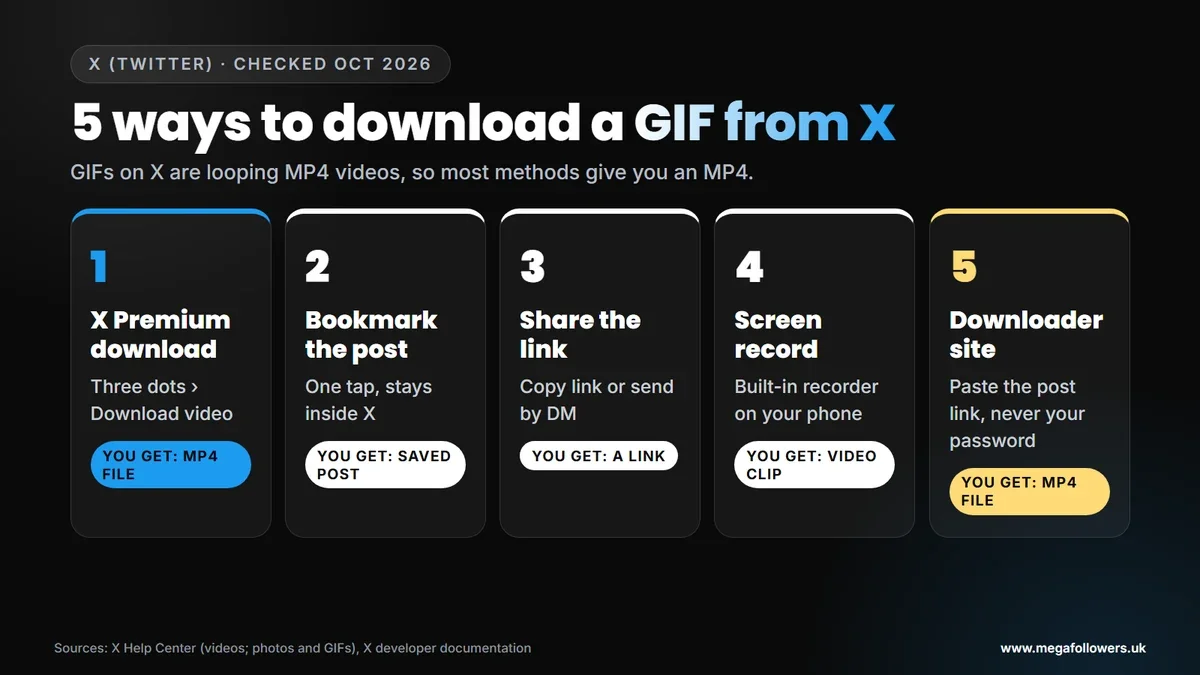
How to download a GIF from Twitter: 5 ways
The right method depends on whether you pay for X Premium and what you want the file for. Most people only need one of them.
| Method | Needs | You get | Best for |
|---|---|---|---|
| X Premium download | A Premium or eligible X subscription, and the poster allowing downloads | An MP4 file | Saving to your phone officially |
| Bookmark the post | An X account | No file, a saved post | Finding it again later |
| Share the link | Nothing | A link | Sending it to friends |
| Screen record | Your phone's built-in recorder | A video clip | Quick personal copies |
| Downloader site | A browser | An MP4 file | Posts you can't download in X |
1. Download with X Premium (the official way)
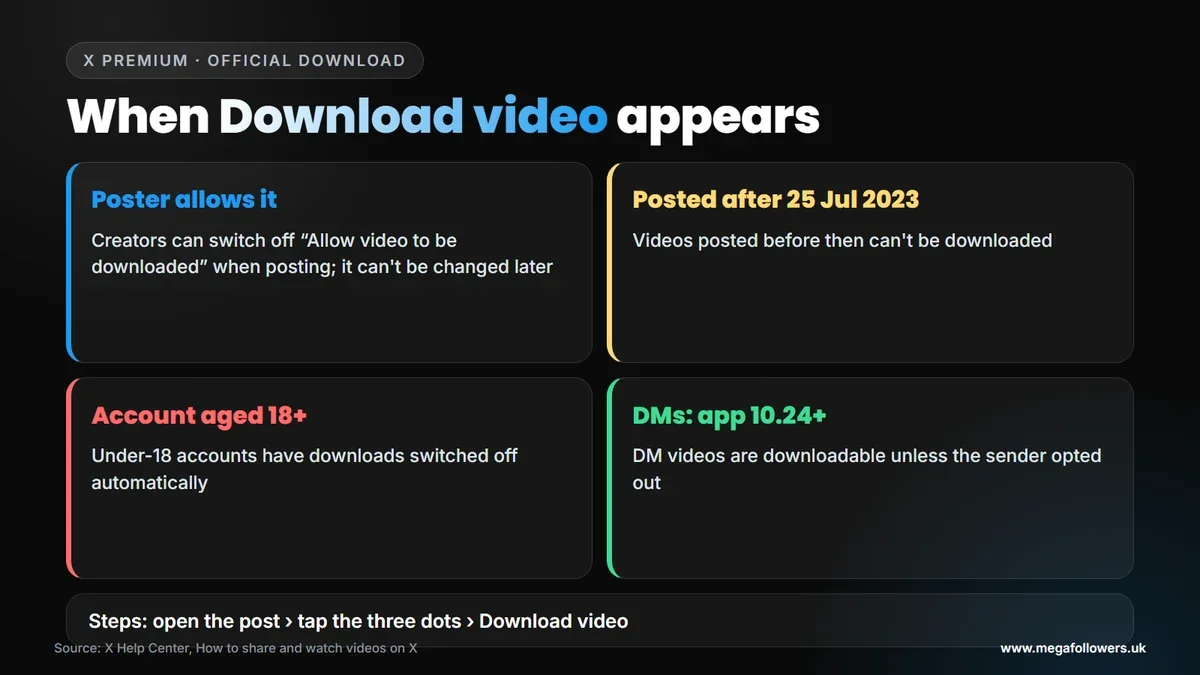
Paying subscribers get a download option. According to X's help page, X Premium subscribers, and subscribers to the Plus, Premium, Super and Ultra plans on The X Subscription, can download videos from certain posts:
- Go to the video or GIF you'd like to download.
- Tap the three dots in the top right corner.
- Tap Download video.
- Find the MP4 in your phone's gallery or downloads folder.
There are conditions. You'll only see the option if the poster left the download setting on when they posted. X won't let anyone download videos posted before 25 July 2023, and it switches downloads off automatically for accounts under 18.
What most guides get wrong: they say X has no download button. It does, for Premium subscribers, but only on posts where the creator allowed downloads, which is why the option appears on some posts and not others.
2. Bookmark the post
If you only want to find the GIF again, bookmark the post instead of downloading it. One tap saves it inside X, with the creator's credit still attached. No file, though.
3. Share the link
Sending a GIF to a friend rarely needs a download. Tap the share icon on the post and copy the link or send it by Direct Message. Even when a poster switches downloads off, X notes that people can still share a link to the post. Easy.
4. Screen record it
Your phone's built-in screen recorder captures anything playing on screen, which makes it the simplest free option on both iPhone and Android, as long as you only want the clip for yourself. On an iPhone, start Screen Recording from Control Centre; on most Android phones, it's in Quick Settings. Trim the clip afterwards in your gallery.
5. Use a downloader site, carefully
Downloader websites work by taking a post's link and fetching the MP4 file behind it, which is why they're popular with people who don't pay for Premium. Quality varies wildly, though, and some are little more than ad farms. Before you use one, check four things:
- It never asks you to log in to X or give your password.
- It doesn't push you to install an app or browser extension.
- It loads securely (https) and doesn't flood you with pop-ups.
- You're only saving something you're allowed to reuse.
Downloading GIFs from X Direct Messages
Videos and GIFs in DMs follow their own rule. X says that from version 10.24 of its Android and iOS apps, you can download videos sent in a Direct Message unless the sender switched downloads off. Older app versions sent videos without that option, so those stay locked.
To save one, long press the video in the conversation and tap Download video. As with posts, the sender sets this when they send it and can't change it later.
How to turn a downloaded MP4 into a GIF
If an app insists on a real .gif file, convert the MP4. Many free video editors and phone apps can export a clip as a GIF; look for an export or save-as option that lists GIF.
Keep the clip short. GIF files get large quickly, so trim to the few seconds you need before converting.
When you post a GIF back to X, you don't need to convert anything. X's help page on posting photos and GIFs explains that you can pick one from the GIF library in the composer, and GIF attachments don't count towards the character limit.
Can you reuse a GIF you downloaded? UK copyright
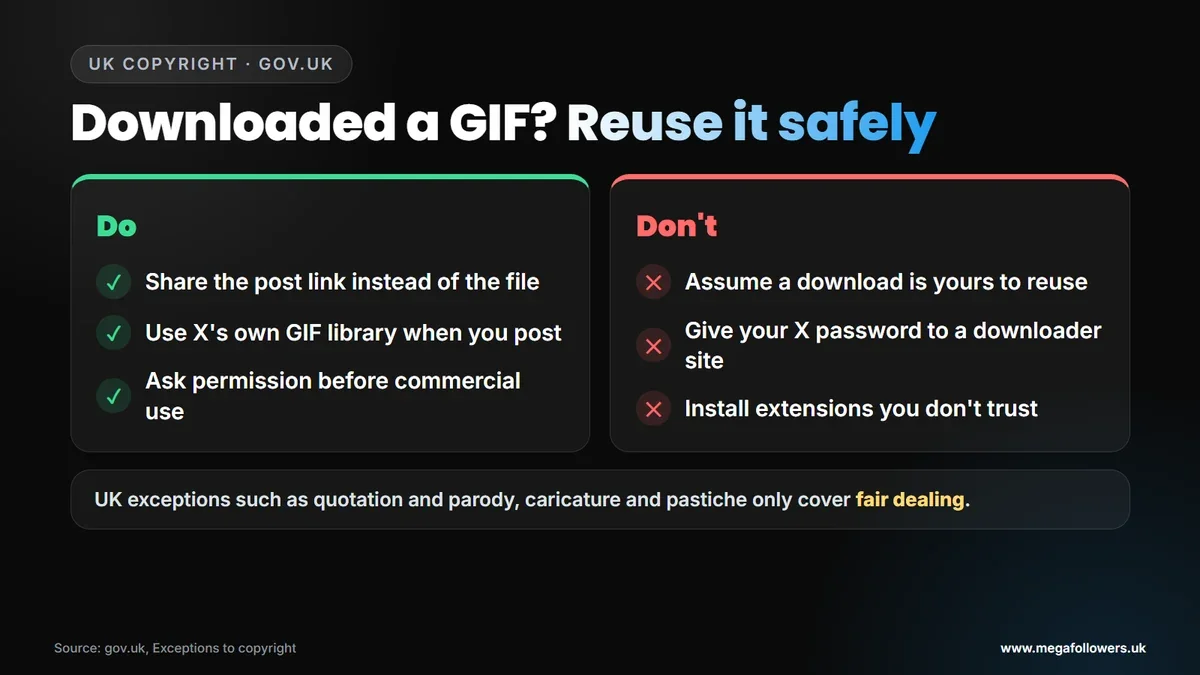
Downloading a GIF doesn't make it yours to reuse. Most GIFs are clips of films, TV, sport or someone else's video, and copyright still applies.
The UK government's guide to exceptions to copyright lists limited cases, such as quotation, criticism and review, and parody, caricature and pastiche. All of them only apply as fair dealing, which the guide describes as how a fair-minded and honest person would have dealt with the work. It doesn't list a general right to copy for your own use.
So the safest habits are simple. Share the link rather than the file, use X's own GIF library whenever you post a reaction yourself, and always ask the owner's permission before you use someone else's clip in anything commercial, from an ad to a client's social feed. That's it.
What could change in 2027
The UK government said on 15 July 2026 that it expects its ban on social media services for under-16s to start in spring 2027. X already switches video downloads off for accounts under 18.
Our view: download features have moved behind subscriptions on X since 2023, and the creator's download setting now decides what anyone can save. Expect that pattern to continue, so check X's help page when an option disappears.
Make your own posts worth saving
The GIFs people save are the ones that already travelled: lots of views, likes and reposts. Those numbers are also what make a new visitor stop on your post.
Mega Followers UK helps with that first impression on X. X (Twitter) views, X likes, X retweets and X followers come from real-looking accounts, with no password required and a 30-day refill guarantee. For the bigger picture, read why social media is important, or see our FAQs.
FAQ: downloading GIFs from X (Twitter)
Why can't I save a GIF from Twitter by pressing and holding?
There's no save option for everyone. Download video is a perk of X Premium and eligible subscription plans, and even then it only appears when the poster allowed downloads. Without Premium, bookmark the post, share its link or screen record the clip on your phone.
Why does a Twitter GIF download as an MP4?
Because GIFs on X are really looping MP4 video files, according to X's developer documentation, downloads from X itself, or from any site that fetches X media, usually arrive as MP4. That's normally an advantage: MP4 files are smaller and sharper, and you can convert one to .gif if an app needs it.
Can you download GIFs from Twitter without Premium?
Not through X itself. Your options are bookmarking, sharing the link, screen recording or a downloader website. If you use a downloader, never enter your X password and avoid any site that asks you to install software or a browser extension.
Can I download a GIF from a Twitter DM?
Yes, if the sender allowed it. From version 10.24 of X's apps, you can download videos sent in Direct Messages unless the sender switched downloads off. Long press the video in the chat and tap Download video. Anything sent from an older version of the app stays locked.
Is it legal to download GIFs from Twitter in the UK?
Saving a clip is common. Reusing it is where copyright matters. UK exceptions such as quotation and parody, caricature and pastiche only cover fair dealing. Share the link rather than reposting the file, and ask permission before using someone else's clip in anything commercial.
Why is there no Download video option on some posts?
The poster decides. Creators can turn the download setting off when they post, and nobody can change it afterwards, including the person who posted. Posts from before 25 July 2023 never had the option. Accounts under 18 have downloads switched off automatically.