99+ TikTok Caption Ideas for Every Kind of Video
99+ original TikTok caption ideas sorted by video type, with British captions for UK creators, auto captions explained and TikTok's own search tools.
In this article
Quick answer: Good TikTok caption ideas do two jobs at once: they tease the payoff so people keep watching, and they name the topic in words people search for. Keep the hook short, add one searchable phrase, finish with a question, and use on-screen auto captions so viewers can follow along with the sound off.
You've edited the video and picked the sound, yet ten minutes later the caption box is still empty. Worse, most caption lists online started life as Instagram lists with a new label on top, so they ignore how TikTok Search and on-screen captions work.
So we built this list for TikTok only. It has 125 original captions sorted by video type, a British section for UK creators and the caption tools TikTok itself has added since 2024.
What counts as a caption on TikTok?
TikTok uses the word for two different things. The description is the text under your video, and captions are the subtitles on the screen itself.
Both matter, for different reasons. TikTok introduced auto captions in April 2021 to help people who are deaf or hard of hearing, and creators switch them on from the editing page before posting. A description, by contrast, gives the video its context, its keywords and its call to action.
| Caption type | Where it shows | What it does | Tip |
|---|---|---|---|
| Description | Under the video, above the sound name | Hook, keywords, hashtags, call to action | Front-load the first few words, since the rest truncates |
| Auto captions | On screen, generated from speech | Lets people watch with the sound off | Check the transcript for misheard words before posting |
| Text overlay | On screen, typed by you | Headline or hook in the opening second | Keep it clear of the right-hand buttons and the description area |
The ideas below are descriptions, although most of them also work as a text overlay. Put the short ones on screen and the searchable ones underneath.
How to write TikTok captions people search for
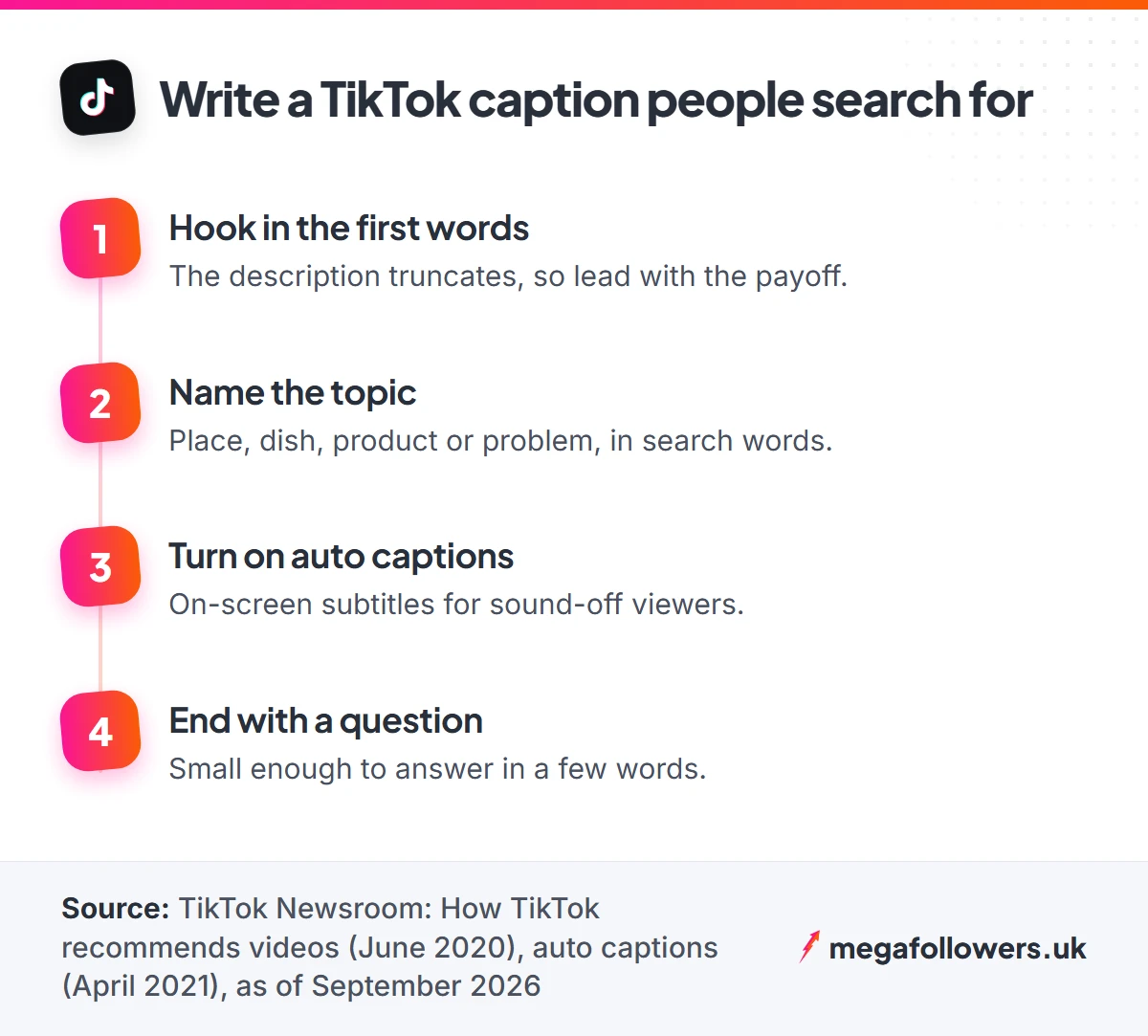
Write for the viewer first and for Search second. TikTok says its For You recommendations draw on video information such as captions, sounds and hashtags, alongside how people interact with the video. The same post notes that a viewer finishing a longer video from beginning to end counts as a strong sign of interest, so a caption that promises a payoff at the end earns its place.
TikTok has also handed creators tools for this. Creator Search Insights, launched in March 2024 in select regions, shows topics people search for often. In October 2025 TikTok added AI Outline, which drafts titles, hashtags, hooks and outlines from a prompt or a highly searched topic.
Engagement shows up on the video too. A clip that opens with a solid like count reads as social proof to the next person who lands on it, which is why some creators back a new upload with TikTok likes from real-looking accounts. Then the caption keeps them watching.
Short TikTok caption ideas
Short captions leave the video room to breathe. Use these when the clip explains itself and you only need a nudge.
- Wait for the last five seconds.
- Sound on for this one.
- Didn't expect that either.
- Round two, better lighting.
- Filmed this at 7am, regret nothing.
- Tell me I'm wrong.
- The ending, though.
- One take. No edits.
- Part 3 is coming, calm down.
- Save this before you forget it.
- Just a normal Tuesday.
- Rate it out of ten.
- This one's for the night owls.
- Quietly proud of this one.
- Watch it twice, you'll see it.
Funny TikTok captions
Funny captions work best when the joke adds something the video doesn't say. Go deadpan.
- My landlord thinks I'm a quiet tenant.
- Filmed 30 takes. This was the good one.
- The dog did not consent to this video.
- Me explaining my weekend plans to my bank balance.
- I have a system. The system is chaos.
- Therapist: and what did you do next? Me:
- Nobody asked, but here's my opinion anyway.
- Adult life is mostly looking for my keys.
- This is what peak performance looks like, apparently.
- My group chat has seen things.
- Normal behaviour, surely.
- I thought this would take ten minutes. It took the whole Sunday.
- Me pretending I read the terms and conditions.
- Cooking show, but make it a fire hazard.
- Future me is going to be so annoyed about this.
POV and storytime captions
POV and storytime videos need a caption that sets the scene fast. One line. Let the video deliver the punchline.
- POV: you said "one drink" at 6pm.
- POV: your mum finds your TikTok.
- POV: the Wi-Fi drops mid-exam.
- POV: first day at a new job and nobody tells you where the kettle is.
- POV: you're the friend who plans everything.
- POV: the train's cancelled again.
- Storytime: the worst date I've ever been on (part 1).
- Storytime: how I ended up in Leeds with no phone.
- The time my flatmate tried to cook Christmas dinner.
- I still can't believe this happened.
- Part 2 of the wedding disaster, as promised.
- Keep watching, it gets worse.
Tutorial and how-to captions
Tutorial captions should name the result and the effort. Words like "easy", "5-minute" or "beginner" match how people phrase searches, and they tell viewers exactly what they'll get.
- How to fold a fitted sheet (finally).
- Five-minute breakfast for people who hate mornings.
- Beginner guitar chords you can learn tonight.
- The easiest way to clean white trainers.
- How I plan a week of meals for under £40.
- Three spreadsheet tricks your boss doesn't know.
- Budget room makeover, step by step.
- How to get your sourdough to rise properly.
- The iPhone camera setting I wish I'd found sooner.
- Quick hairstyle for day-three hair.
- How to pack a carry-on for a week away.
- Save this for your next CV rewrite.
GRWM, fashion and beauty captions
Get-ready-with-me videos run on personality. Pair the look with the occasion, because "GRWM for a job interview" gives people a reason to watch that "GRWM" alone doesn't.
- GRWM for a first date I'm already overthinking.
- GRWM: job interview edition.
- Outfit check for a very rainy Monday.
- Five ways to wear one blazer.
- My ten-minute everyday makeup.
- Charity shop haul, everything under £10.
- Autumn wardrobe, sorted in one clip.
- Wedding guest outfit, take three.
- Skincare routine for people who forget skincare.
- The jeans that finally fit.
Food, travel and day-in-the-life captions
Name the place and the thing. "Best brunch in Bristol" is a phrase people type into Search, while "brunch vibes" isn't. Fixing it takes seconds.
- Best brunch in Bristol? Tell me yours.
- Day in the life of a nurse on nights.
- £5 lunch challenge: central London edition.
- Rating every chippy in my town.
- Weekend in Edinburgh on a budget.
- What I eat in a week as a student.
- Hidden beach in Cornwall, no crowds.
- A slow Sunday in the Peak District.
- Day in my life working from home.
- Trying the viral pasta so you don't have to.
- Airport hacks from someone who flies too much.
- Morning routine before a 9am shift.
British captions for UK creators
UK viewers notice when a caption sounds like someone in California wrote it. These lean into British humour, weather and habits, which gives UK audiences something to recognise straight away.
Local reach helps a British video find its people. If most of your audience lives here, TikTok UK views put a new clip in front of viewers who get the joke.
- Four seasons in one afternoon, as usual.
- Putting the kettle on is a personality.
- Sorry, sorry, sorry: a British argument.
- Ranking supermarket meal deals, no mercy.
- The first sunny day in the UK, a documentary.
- Queueing is a sport and we're winning.
- "We should get lunch sometime" means never.
- Gravy is a drink in this house.
- Bank holiday forecast: rain, obviously.
- Northern vs southern: who says it right?
- Rating British motorway services.
- When the heating goes on in October.
- Every Brit abroad on day one.
- Crisps in a sandwich. Discuss.
- That's me done for the week.
Captions for Duets, Stitches and trends
Duet and Stitch captions should credit the original and add your angle, so viewers have a reason to watch your version instead of scrolling back to the first one. Be quick about it.
- Had to add my two pence to this.
- Stitching this because I have questions.
- My version is better, sorry.
- Trying this trend a week late, as is tradition.
- Duet with me if you've lived this.
- Replying with the full story.
- The UK version of this trend.
- Answering the most asked question from yesterday.
LIVE promo captions
A LIVE promo caption needs two things. The time, and a reason to turn up. Write the day and time with GMT or BST so viewers in Glasgow and Gibraltar don't have to guess.
A LIVE that already has an audience looks worth joining. That's where TikTok live stream views help, delivered in real time while you're on air.
- Going LIVE Thursday, 8pm BST. Bring questions.
- Q&A tonight at 7pm GMT, ask me anything.
- Packing orders LIVE this Sunday. Come and chat.
- Live study session, 6pm to 8pm GMT.
- First LIVE ever. Be nice.
- Answering your comments LIVE at 9pm BST tonight.
Captions that ask for comments
A question gives viewers an easy reason to reply, and replies keep a video alive. Keep the question small enough to answer in a few words.
- Which one would you pick, 1 or 2?
- What should I try next?
- Be honest: would you eat this?
- Tell me your worst job in three words.
- Guess the price before the end.
- Team crunchy or team smooth?
- What did I miss? Comment below.
- Drop your town and I'll rate the chippy.
- Would you rather: beach or city break?
- First comment picks tomorrow's video.
An empty comment section can put the first person off typing. Seeding it with a few TikTok comments shows the thread is open, so the next viewer has something to reply to.
Small business captions
Business captions work when they sound like a person runs the account. Show the process, name the product and tell viewers what to do next, with the shop link in your bio.
New business accounts also face a cold-start problem. A profile with a starting base of real TikTok followers looks established from the first visit, so buyers can focus on the product.
- Packing your orders, one by one.
- How we make [product] from scratch.
- Small business, big week. Here's why.
- Restock day in the studio.
- You asked, we made it. Link in bio.
- What £[X] gets you from our shop.
- Behind the scenes of a Friday dispatch.
- The mistake that nearly sank our first batch.
- Meet the team (it's me and the cat).
- Which colour should we make next?
How to choose the right caption in 30 seconds
Match the caption to what the video asks of the viewer. A payoff at the end needs a tease. A tutorial needs the result named in plain search words, and a joke needs you to stay out of its way.
Then run a quick test before posting: read the first five words on their own and ask whether a stranger scrolling past on a crowded bus would know what the video is about and why they should stay. If not, move the key words forward. Simple.
Caption mistakes to skip
Some habits cost more than any one weak caption, because they repeat on every single video you post. Drop them.
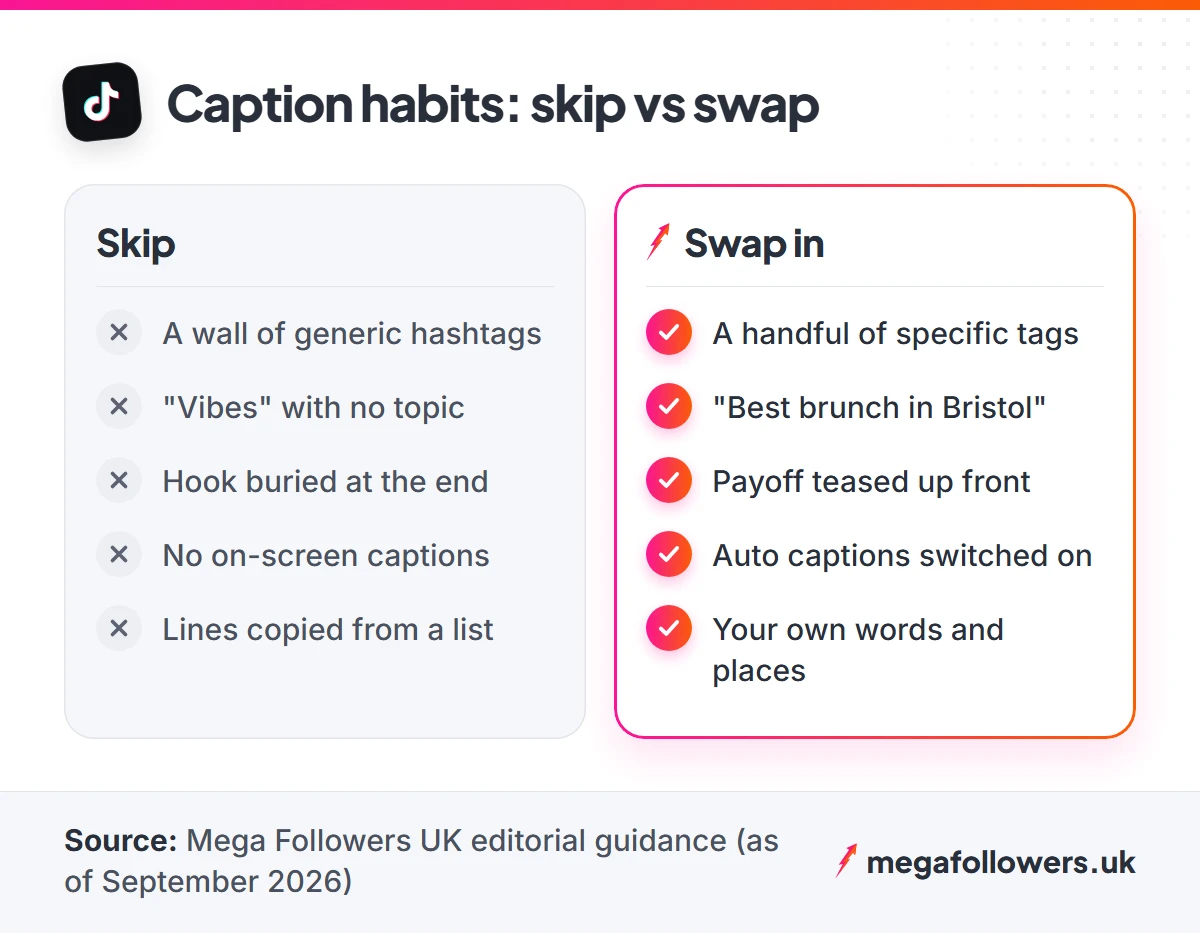
- Hashtag walls. A block of generic tags pushes your words out of view. Pick a handful that describe the video.
- Vague captions. "Vibes" tells Search nothing. Name the place, the dish or the problem you solve.
- Burying the hook. The description truncates, so the opening words have to earn the tap.
- No auto captions. Anyone scrolling with the sound off needs on-screen captions to follow along.
- Copied lines. A caption lifted word for word from a public list gives nobody a reason to stop.
Your caption earns the watch. Social proof earns the follow.
Pick a caption, film the video, and give it the best possible start. For the full picture on distribution, read our guide to how the TikTok algorithm works, and if a clip stalls, our breakdown of why TikTok views drop shows where to look first.
Every Mega Followers order uses real-looking accounts, never needs your password and comes with a 30-day refill guarantee on standard packages. Our FAQs cover the rest.
TikTok caption FAQs
How long can a TikTok caption be?
Long enough for most needs, but the length that matters is the opening. Only the first few words show before the description truncates, so the hook and your main keyword belong right at the start. Use the rest for context, a question or a few hashtags that describe the video.
Do TikTok captions help with views?
They can. TikTok lists video information such as captions, sounds and hashtags among the factors its For You system considers, alongside how people interact with the video. A caption that names the topic helps Search, and one that promises a payoff can keep people watching longer.
Should I use auto captions on every TikTok?
Yes, on any video with speech. Auto captions turn what you say into on-screen subtitles, which helps viewers who are deaf or hard of hearing and anyone watching with the sound off. Check the transcript before posting, because names and slang sometimes come out wrong.
How many hashtags should I put in a TikTok caption?
A handful at most. Choose tags that describe the video itself, such as the topic, the place or the format, rather than broad tags that every other account on the app is already using. Your written caption does most of the work for Search. Clear words win.
Can I use these TikTok captions for my own videos?
Yes. We wrote every caption on this page for this article, and you're free to use or adapt them. Swap in your own town, product or story so the line sounds like you, because viewers can tell when someone pasted a caption straight from a list.
What is AI Outline on TikTok?
AI Outline is a TikTok creation tool announced in October 2025. It drafts video titles, hashtags, hooks and outlines from a prompt or a highly searched topic, and it launched for creators aged 18 and over in the US, Canada and select markets. It may not show in your app yet.