How to Increase Facebook Page Likes for Your Business
How to increase Facebook page likes now Meta counts followers: set up your Page, invite up to 200 friends, promote it offline and track the right numbers.
In this article
Quick answer: To increase Facebook page likes for your business, grow followers, because Meta stopped people liking Pages from August 2025 and Pages now count follows. Complete your Page profile, add an action button, invite up to 200 friends, promote the Page offline and online, post when customers are online, and reply to everyone.
Your business Page has sat on the same number for months. Then you read that Facebook has scrapped Page likes altogether, and your old count may shrink when fans who never followed drop off. That hurts a small business, because a thin audience looks like a thin trade. This guide shows what replaced Facebook page likes and how to grow the new number, using Meta's own Page-growth checklist.
What happened to Facebook Page likes
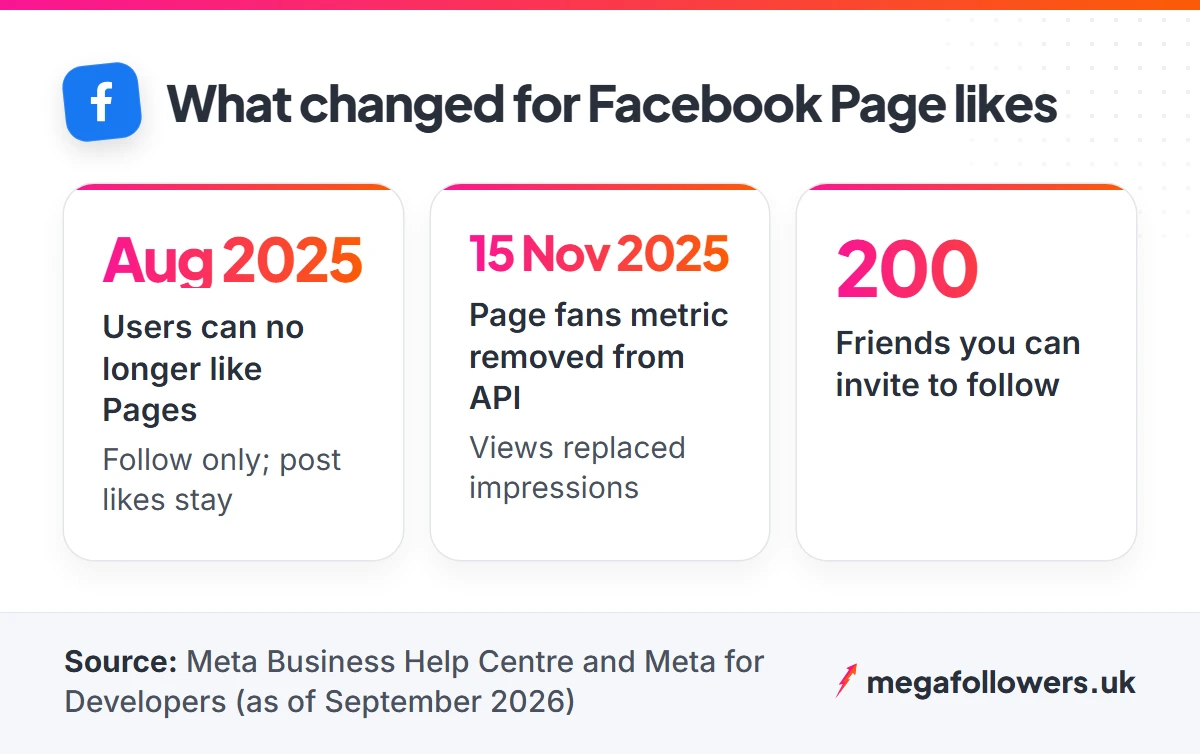
People can no longer like a Facebook Page, only follow it. Meta's Business Help Centre page on growing your Page audience says the change started in August 2025, and that people can still like posts and content shared on a Page.
A second help page on Page likes moving to followers fills in the detail. The Like button on Pages disappears, leaving a Follow button, and Pages show a follower count only. Anyone who both liked and followed your Page stays a follower. Anyone who only liked it does not convert, and would need to choose Follow themselves.
To see which version your Page runs, open it while logged in as a visitor, or ask a friend to look. A Follow button with no Like button beside it means your Page has switched, and the follower figure is now the one that counts.
The reporting side changed too. In an August 2025 post, Meta's developers blog announced it would deprecate the page fans metrics in the Page Insights API from 15 November 2025, which is why some third-party dashboards stopped showing a Page likes figure at all.
| Before the change | Now | |
|---|---|---|
| Button on your Page | Like and Follow | Follow only |
| Audience number shown | Likes (and followers) | Followers only |
| Fans who liked but never followed | Counted | Not carried over |
| Likes on your posts | Yes | Yes, unchanged |
What most guides get wrong: plenty of "increase Facebook page likes" articles still treat Page likes as a separate target. On a Page that has switched, there is nothing left to chase. Every tactic below grows followers, and followers are what visitors now see.
Why page likes and follows still matter for a business
Your follower count is social proof, and social proof sells. Picture a customer comparing two local plumbers on Facebook: the Page with an active audience wins their trust before they read a single review.
Followers also do a practical job. Meta describes followers as the people who can receive a Page's updates, and its Feed ranking starts from posts by friends, Groups and the Pages a person follows. So every new follower adds one more person who might see Friday's offer.
Numbers cross credibility thresholds as well. Twelve followers reads as a hobby, while a Page in the hundreds reads as a business people already use. That gap is the cold-start problem, and it is the hardest stretch to grow through organically, because strangers hesitate to be the first to follow.
Followers help your paid promotion too. When a local ad sends a curious stranger to your Page, the first thing they judge is whether anybody else is there, and a Page with a visible audience turns more of those clicks into follows and enquiries.
For example, a new beauty salon in Leeds might have a lovely Page and a full diary of regulars, yet look empty online. Closing that gap between the real business and the visible audience is what the rest of this guide is for.
Set up your Page so visitors want to follow
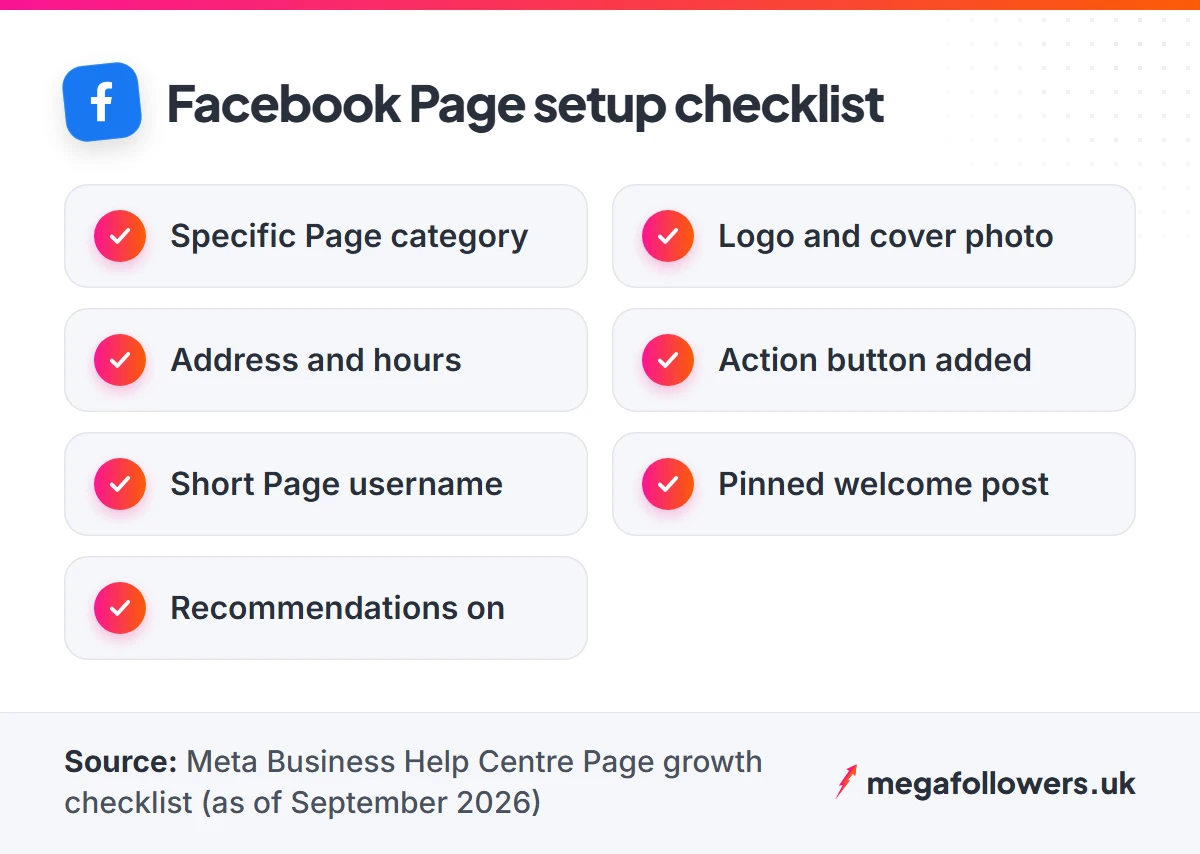
Start with the Page itself, because every tactic later on sends people to it. Meta's audience-growth checklist opens with the basics, and plenty of small business Pages still miss two or three of them.
Choose the right category
Pick the categories that best describe your business. Be specific. "Hair Salon" helps the right people find you, where a vague "Local Business" helps nobody.
Add a profile picture and a cover photo
Use your logo for the profile picture. It appears tiny beside every post and comment, so simple shapes and bold colours work best, while the cover photo has room to do more: your shopfront, your team or your best product, shot in daylight.
Fill in your business details
Add a short description, your website, phone number and email. If you have premises, add the address, because the checklist singles out physical locations for this step.
Keep your opening hours current as well. Nothing loses a follower faster than a customer who turns up to a locked door on a bank holiday Monday.
Add an action button
An action button sits at the top of your Page and turns interest into a next step, which matters because a follower who can also book or message you is worth far more than one who can only scroll. Options include Learn More, Contact via Messenger, Shop Now and Book a Service, depending on your Page template.
Pick the button customers will really use. A café wants Contact or Order; a salon wants Book.
Claim a short Page username
Give your Page a username so its web address reads facebook.com/yourbusinessname rather than a string of numbers. A short, readable address is far easier to print on a receipt or say over the phone.
Pin a welcome post
Pin one post to the top of your Page that tells a first-time visitor who you are, where you are and why they should follow. Update it each season. Think of it as the shop window of your Page.
Turn on recommendations
Switch on recommendations so customers can vouch for your Page in public. Then ask happy regulars to leave one, because a stranger who reads five warm recommendations from local people is far more likely to hit Follow than one who lands on an empty Page.
7 ways to increase Facebook page likes and follows
Once the Page looks the part, these seven tactics bring people to it. Three cost nothing at all.
1. Invite your friends, up to 200 of them
Facebook lets you invite friends from your personal profile to follow your Page. Switch into your profile, go to your Page, tap Options, choose Invite friends, tick the people you want and send the invitations.
There is a cap of 200 friends. Spend it on people who would genuinely care, such as local friends, former colleagues and customers you know by name.
2. Invite people who react to your posts
Every reaction on a Page post comes from someone who already enjoyed your work. Open the reaction list under a popular post, and on many Pages Facebook shows an invite option beside people who don't follow you yet.
Do it within a day or two of the post, while the memory is fresh. An invite from a Page someone smiled at yesterday lands very differently from one they have forgotten.
3. Put your Page in front of customers offline
Your till is a follower machine. Print your Page name, or a QR code that links to it, on receipts, menus, business cards, carrier bags and the shop window.
Say it out loud, too. "We post offers on Facebook first" gives a customer a reason to follow before they have even left the counter.
UK high-street businesses have plenty of spots for this: the A-board outside, loyalty cards, delivery bags and the card machine stand. Choose two or three and keep them consistent.
4. Link your Page everywhere you already have an audience
Add your Page to your website footer, your email signature and every newsletter. Meta retired its website Like button plugin in February 2026, so an old "Like us" box on your site may now show nothing at all; swap it for a plain link or the Page Plugin, which still works. Crosspost your best Instagram content to Facebook as well, which Meta's engagement guidance suggests so you don't recreate the same post twice.
5. Post when your customers are online
Check Insights for the hours your audience is most active and post or schedule for those windows. Posting at 11pm wastes good material.
For UK Pages, re-check your schedule after the clocks change in late March and late October. If your scheduling tool works in a fixed time zone, a post set for 7pm GMT will land at 8pm once BST starts.
6. Reply to everyone, fast
Answer every comment and message. People keep engaging when they know a business will respond, and Meta recommends instant replies so anyone who messages you gets an immediate answer.
Page Stories help too. They show a more casual side of the business and keep your Page visible between bigger posts.
7. Run a small engagement ad
Meta's audience checklist names targeted ad campaigns and engagement ads as growth tools, and suggests using Page Insights to sharpen your targeting. A modest test aimed at your town or postcode area introduces the Page to exactly the people who can walk through your door.
Make the ad about something useful, such as an event, a seasonal menu or a new service. People follow Pages that give them a reason to come back.
Judge the test on followers gained and messages received, and ignore the rest at first. If a week of local spend brings neither, change the offer or the picture before you change the budget.
Mistakes that stop people following your Page
The most common mistake is the "like and share to win" competition. It breaks Facebook's own rules.
The Promotions section of Meta's Pages, Groups and Events Policies says a promotion must not require or incentivise people to share, repost, tag others or otherwise publicise it. So "share this post and tag three friends to enter" is off the table, however many local businesses still run it.
Run a compliant version instead. Ask people to comment with an answer to a simple question, publish clear terms and closing dates, and pick the winner fairly.
Four quieter mistakes cost followers over time. None of them is dramatic, and all of them add up.
- An abandoned Page. Out-of-date hours, a cover photo from 2019 and a last post from March tell visitors you might have closed.
- Wall-to-wall selling. A feed of price lists gives nobody a reason to follow. Mix in the team, the behind-the-scenes and the useful tips.
- No way to get in touch. A Page with no action button and unanswered messages tells a visitor nobody is home.
- Cheap bot followers. Faceless accounts from a bargain seller, or any service asking for your password, make a Page look less trustworthy, the opposite of what you paid for.
How to track Page growth now that likes have gone
Track followers as your headline number, since that is what your Page now displays. Meta says you can follow your follower count in Meta Business Suite and the professional dashboard.
Views matter as well. From 15 November 2025, Meta replaced the impressions metric with views in the Page Insights API, so expect "views" rather than "impressions" in most tools.
| Metric | Where to find it | What it tells you |
|---|---|---|
| Followers | Page header, Meta Business Suite, professional dashboard | Your audience size, the number visitors judge you on |
| Views | Insights | How often your content appeared on screen |
| Reactions per post | Under each post, Insights | Whether your posts give people a reason to follow |
| Messages and action button clicks | Inbox, Insights | Whether the Page turns attention into enquiries |
Check these once a week rather than daily. Daily numbers bounce around.
Here is an example of a simple weekly log for a new café Page. The figures are illustrative, but the habit is the point.
- Week 1: 40 followers after inviting 150 friends
- Week 2: 95 followers, QR code added to receipts
- Week 3: 120 followers, small local ad tested
- Week 4: 131 followers, no new activity A weekly note of followers gained, written next to what you did that week (an invite round, a window sticker, a local ad), shows you exactly which activity moved the count.
Where paid page likes and followers fit
Paid followers solve the cold-start problem fast. A new Page with a credible audience earns trust from the very first visitor, which makes every free tactic above convert better.
Check which number your Page displays first. Pages that still show a likes count suit Facebook page likes, while Pages that have switched to followers only suit Facebook followers.
For a business that trades in Britain, local numbers look more natural. UK Facebook page likes and UK Facebook followers come from UK-based accounts, and gradual delivery is available so growth builds at a natural pace.
Every order uses real-looking accounts and needs only your public Page link, with no password required. Each one also carries a 30-day refill guarantee.
Sequence matters. Set the Page up first, run your invites, then add paid followers so the visitors your offline and online promotion sends see a Page that already looks established. After that, your own posts do the retaining.
Build the Page first, then give it a crowd
Growth comes from an order of operations. Set the Page up properly, invite the people who already know you, promote it wherever customers meet you, and keep posting things worth following.
None of this needs an agency or a big budget. It needs an afternoon of setup, a few weeks of steady promotion and the patience to track followers weekly.
Posts carry the load after that. Visible reactions on your latest updates make a new visitor far more likely to follow, and Facebook post likes give a fresh post that first layer of proof. Read our guide to UK targeted followers and likes if your customers are local, and see our FAQs for how orders and refills work.
Frequently asked questions
Can you still like a Facebook Page?
No, on Pages that have switched. Meta says people stopped being able to like Pages from August 2025 and can only follow them. The rollout is gradual, so a few Pages may still show a likes count, and people can still like the posts and content a Page shares.
Did I lose my old Facebook page likes?
Some of them, possibly. People who liked and followed your Page carry over as followers. People who only liked it, without following, don't convert automatically, so your new follower count can look lower than your old likes total even though your real audience hasn't changed.
How many friends can I invite to follow my Facebook Page?
Up to 200. Meta's help centre says you invite them from your personal profile: go to your Page, tap Options, choose Invite friends, select the people you want and send the invitations. Choose friends who would genuinely want your updates, such as locals and past customers.
Is a Facebook follower worth more than a page like?
Yes, on today's Facebook. A follower can receive your Page's updates in their Feed, and followers are the number your Page now displays. An old page like that never became a follow no longer counts toward your audience, so followers are the figure to grow and report.
How long does it take to grow a Facebook business Page?
Expect steady growth over months, with faster jumps after invites, offline promotion or a local ad. Track followers weekly alongside what you did that week. After a month you will see which actions add followers for your business and which you can drop.
Should a business buy Facebook page likes?
It can help a new Page get past the cold-start stage. Pick a seller that uses real-looking accounts, never asks for your password and offers a refill guarantee. Mega Followers works from your public Page link only, covers orders with a 30-day refill guarantee and offers UK-based options.