How to Get More Facebook Likes: Proven Tactics That Work
How to get more Facebook likes: 9 tactics built on Meta's own guidance, plus why Page likes are becoming followers and a 4-week plan to test what works.
In this article
Quick answer: To get more Facebook likes, post original photos and Reels your audience wants to react to, publish when Insights shows your followers are online, and reply to every comment. Skip "like if you agree" bait, because Meta demotes it. For Page likes, grow followers instead, since Meta is replacing the Page Like button with Follow.
You post, you wait, and the thumbs-up count stalls at three. Worse, most advice online describes a Facebook that has gone. Meta is swapping Page likes for followers, and its feed now runs on more than 100 prediction models. This guide splits Facebook likes into the two numbers that count today and gives you tactics for each, taken from Meta's own documentation.
Facebook likes now mean two different numbers
Facebook likes now cover two separate things: reactions on a single post, and the audience count on a Page. Guides that blend them give muddled advice. Different actions grow each one.
Post likes still work the way they always have. Anyone who sees your post can tap Like or another reaction, and they don't need to follow your Page first.
"Likes" on a post also means more than the thumbs-up. Facebook shows seven reactions (Like, Love, Care, Haha, Wow, Sad and Angry), and the number under your post counts all of them together. So when this guide says likes on a post, read it as reactions of any kind, because that total is what visitors see first.
Page likes are a different story. Meta's help page on Page likes moving to followers says the Like button on Pages is going away, and Pages will display a follower count only. People who liked a Page without following it don't convert into followers automatically. Meta describes the change as a gradual rollout that may not reach every Page at once, so plenty of Pages, perhaps including a few of your competitors', still show both numbers today.
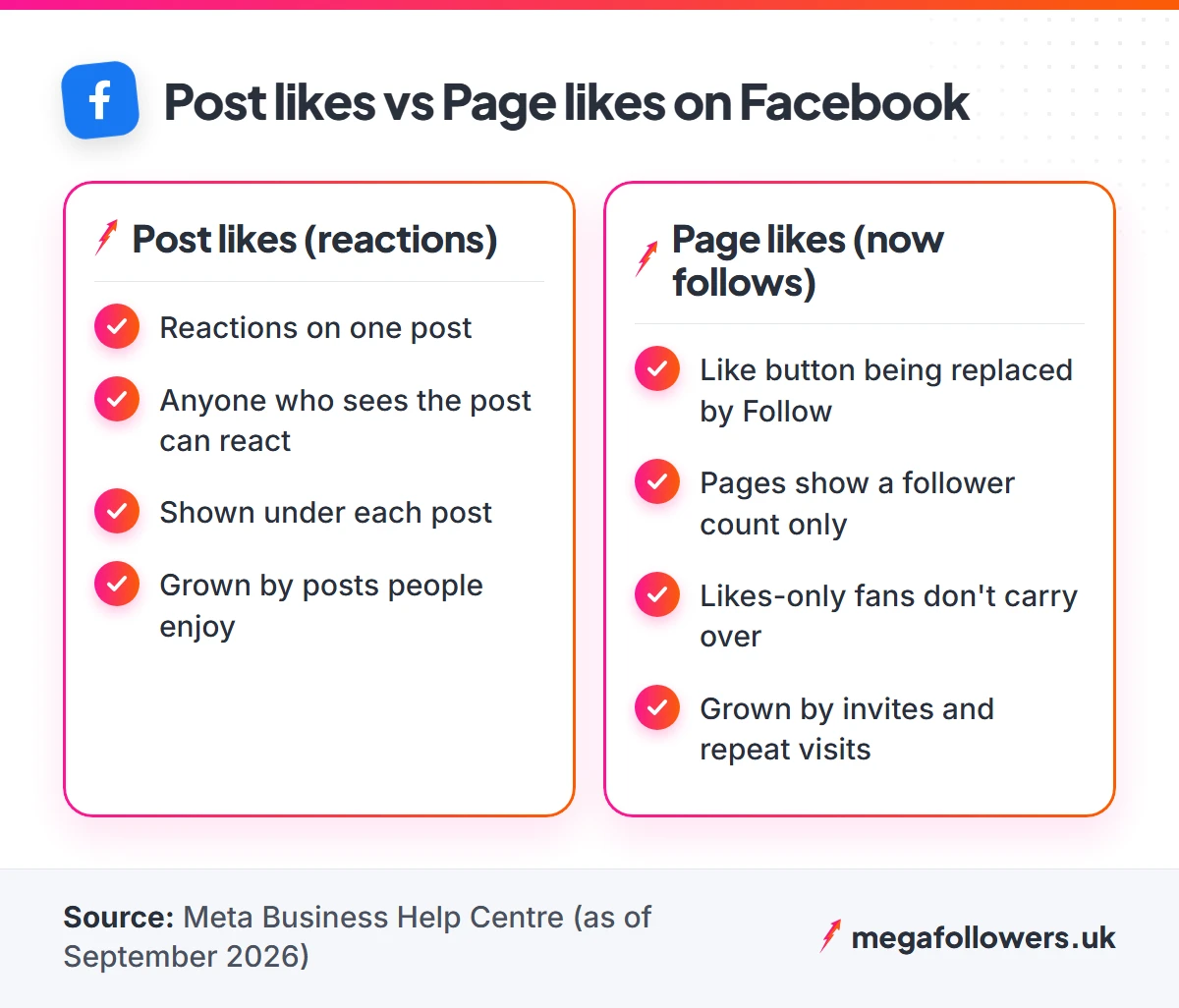
| Post likes (reactions) | Page likes (now follows) | |
|---|---|---|
| What it counts | Reactions on one post | People who get your Page's updates |
| Who can add one | Anyone who sees the post | Anyone who taps Follow |
| Where you see it | Under each post | Page header and Meta Business Suite |
| What grows it | Posts people want to react to | Invites, action buttons, repeat visits |
| Related service | Facebook post likes | Facebook page likes |
What most guides get wrong: several top-ranking articles date the removal of Page likes to 2024. Meta's Business Help Centre page on growing your Page audience puts the start in August 2025. Its transition page still calls the switch a gradual rollout, which explains why your Page may show likes while a rival's shows followers only.
How Facebook decides who sees your post
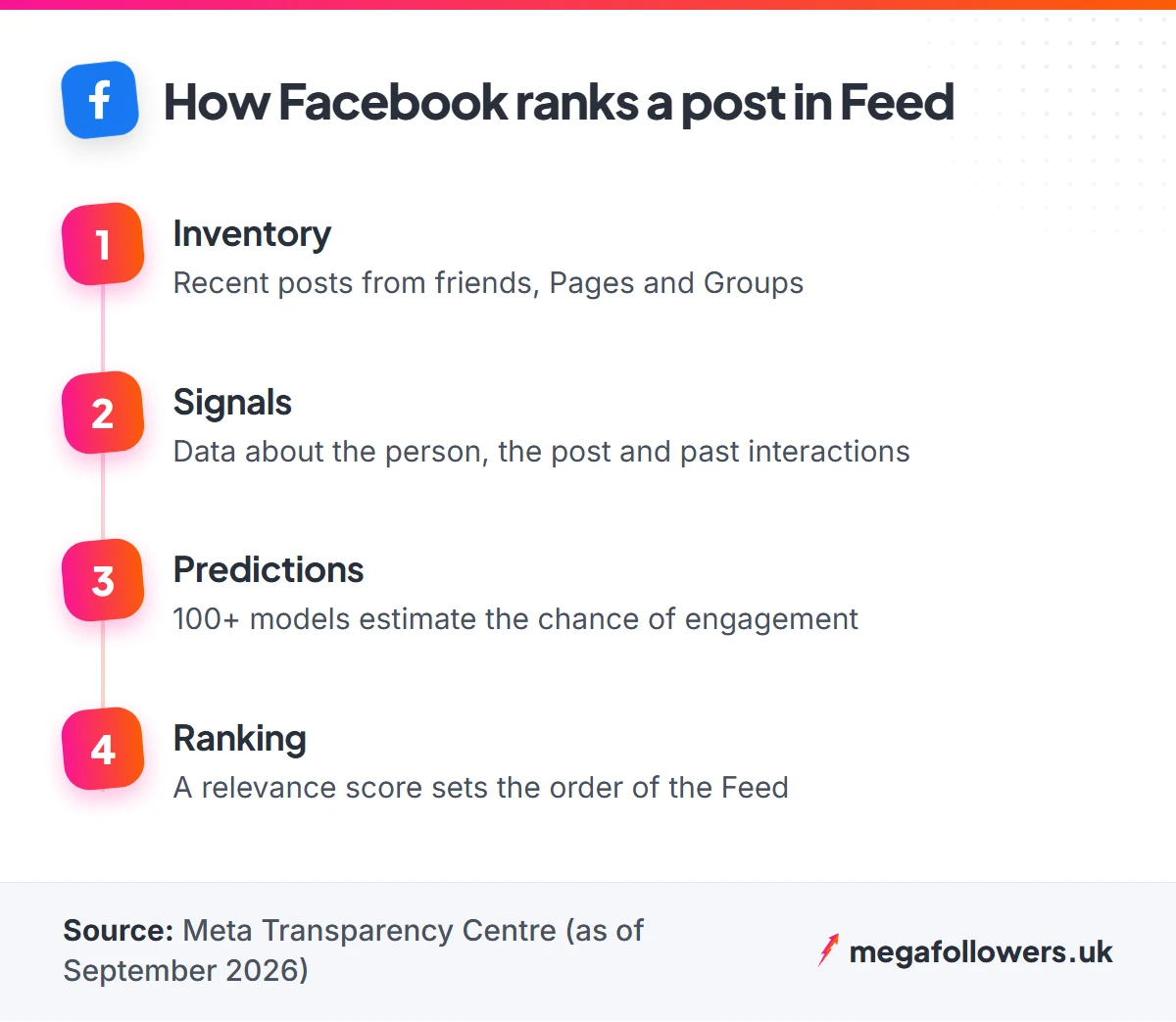
Facebook shows each post to the people its ranking system predicts will value it, and only those people get the chance to like it. Meta's Transparency Centre explains Feed ranking in four steps:
- Inventory. Facebook gathers recent posts from friends, Pages and Groups a person follows.
- Signals. It reads thousands of data points about the person, the post and their past interactions.
- Predictions. Over 100 prediction models estimate how likely the person is to engage with each post, and how long they might spend on it.
- Ranking. Every post gets a relevance score, and the Feed runs in that order.
Meta gives the reason plainly. Most people have more posts waiting than they could ever scroll through in one session, so the system has to choose.
Two practical lessons follow. A like is partly a vote for next time, because past interactions feed the signals step, which means someone who reacted to your last three posts is a warmer prospect than someone who scrolled straight past. Every reaction you earn today improves your odds with that person tomorrow.
The second lesson is blunter. If the predictions say nobody will care, your post barely leaves the starting blocks.
That is why the tactics below focus on the moment before the like: the scroll-stopping photo, the question worth answering, the post that lands while your audience is awake. Win the prediction and the likes tend to follow.
Content tactics that earn more Facebook likes
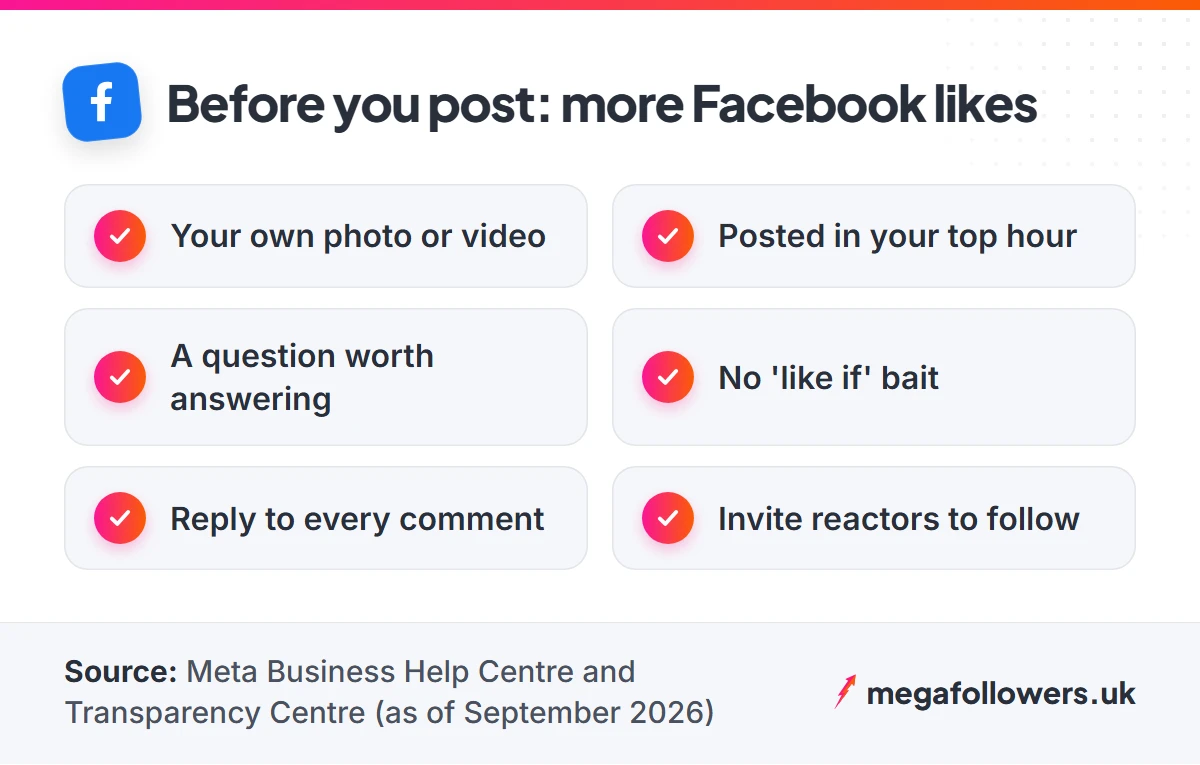
Content tactics come first, because every Page follow starts with somebody enjoying a post. Each tip below comes from Meta's published guidance or a dated Meta announcement.
1. Film and photograph your own material
Original content now gets priority. In its 13 March 2026 update on rewarding original creators, Meta said original content receives more reach in Feed and Reels, and that views and time spent on original Reels roughly doubled in the second half of 2025 compared with a year earlier.
The flip side is harsh. Accounts that add no real creative value to reposted material will see their content deprioritised, and some may lose recommendations entirely.
For example, a café owner in Bristol does better filming this morning's bake than reposting a viral pastry clip from another Page. Her clip is rougher. It is also hers.
2. Make Reels a weekly habit
Reels sit inside Facebook's main Feed and in their own Reels tab, which gives each clip two routes to an audience. Keep them short, film them vertically, and put the payoff in the opening seconds.
You don't need a studio. A phone, daylight and one clear idea per clip will do. If your Reels already travel and you want the view count to match, our Facebook video views add visible momentum to a clip you're proud of.
3. Swap stock images for real photos
Meta's best practices for Page engagement say posts with photos, videos or polls are more likely to get likes, shares and comments. You don't need professional or stock shots either, because phone photos can feel more personal and relatable.
Stock imagery reads as an advert. People scroll past adverts.
Try a simple swap for one week: every post that would have used a stock picture gets a photo of your team, your product or your premises instead. Compare the reactions.
4. Ask questions people want to answer
A good question hands people an easy reason to react or reply. Make it specific and low effort, so answering takes five seconds.
Here are three examples written for UK small businesses, each one a choice between two options so nobody has to think hard before replying. Steal the format.
- A florist: "Tulips or peonies for the shop window this Saturday?"
- A gym: "Early bird or after-work session: when do you train?"
- A bakery: "Which flavour should join the menu next month, lemon or salted caramel?"
Keep the question about their opinion or experience. The moment it turns into "like this if…", you've crossed into bait (more on that below).
Timing and community tactics for more likes
Great posts still need an audience that is awake and a Page that feels alive. These five tactics handle both.
5. Post when your followers are online
Meta advises checking your Insights to see when your audience is most active, then posting or scheduling for those hours. That sounds obvious. Most small Pages still post whenever the owner has a spare minute, which is often late at night after the shop shuts.
For UK audiences, remember the clocks. They go forward on the last Sunday of March and back on the last Sunday of October, so re-check your scheduled times after each change.
Weekends deserve their own test. A garden centre or a takeaway may find its busiest Facebook hours on a Saturday morning or a Sunday evening, while an accountant's clients might only scroll during the week, so let your own Insights settle it rather than a national average.
6. Post less if each post is thin
Meta's guidance warns that a post may see lower engagement if you've already posted a few times that day. So three rushed posts can earn fewer likes in total than one good one.
Pick a rhythm you can sustain with decent material. Three strong posts a week beat a daily post you threw together.
7. Reply to every comment
Responding to everyone who engages is one of Meta's own recommendations, because people notice when a business answers. Each reply keeps the conversation on the post going and gives the commenter a reason to come back.
End some replies with a small question of your own. "Glad you liked it. Which one did you try?" turns a single comment into a short thread, and threads are what other visitors stop to read.
Instant replies help with messages too. Switch them on for your Inbox, and people who message you get an immediate answer telling them the Page is active, even when you're busy.
8. Crosspost your best Instagram posts
If you already post on Instagram, crossposting to Facebook saves you making everything twice. Crossposting is on Meta's own list of engagement tips for exactly this reason, and it lets you compare how the same post performs with two audiences.
Watch the comparison closely. Your Facebook crowd may skew older or more local, and the post that flops on one platform can win on the other.
9. Turn reactions into follows
Every reaction is a warm lead for your Page. Tap the reaction count under a popular post to open the list of people who reacted. On many Pages, Facebook shows an invite option beside people who don't follow you yet.
Use it after your best posts only. A steady trickle of invites to people who already enjoyed your work converts better than a blast to strangers.
Friends are fair game too. Meta lets you invite friends from your personal profile to follow your Page, which is the quickest way to give a brand-new Page its first audience of familiar faces.
Habits that cost you Facebook likes
Some habits lose you likes faster than any tactic can win them. Engagement bait tops the list.
Meta's content distribution guidelines on engagement bait cover posts that explicitly ask for votes, shares, comments, tags, likes or other reactions, and Facebook reduces their distribution. That rules out lines such as:
- "Like if you agree, share if you don't."
- "Tag three friends who need this."
- "Comment YES for the link."
- "React with a heart to vote for option A."
Unoriginal reposts are the second trap, as covered in tactic 1. Meta has said in writing that it deprioritises accounts which add nothing to material they didn't make.
Wall-to-wall selling is the third. Meta's engagement advice talks about meaningful posts published when engagement is highest, and a feed of price lists and "shop now" graphics gives nobody a reason to react.
The fourth habit is buying from the wrong seller. Cheap likes from obvious bot profiles, or any service that asks for your password, can leave your post with a number that nobody believes. If you add paid likes, use a seller that delivers from real-looking accounts and never needs a login. That one filter rules out the two most common warning signs.
A 4-week plan to get more Facebook likes
The plan below turns the tactics into a month of testing. Run it on your Page and compare week four with week one, using reactions per post and views as your two numbers.
| Week | Focus | What to post | What to check in Insights |
|---|---|---|---|
| 1 | Baseline | Your usual mix, no changes | Reactions and views per post, plus your most active hours |
| 2 | Originality | Your own photos only, plus one Reel | Did original posts earn more reactions than week 1? |
| 3 | Conversation | Two question posts, reply to every comment the same day | Comments per post and repeat commenters |
| 4 | Double down | More of the month's best format, posted in your top hours | Reactions per post against week 1 |
Keep notes in a simple spreadsheet with one row per post. Record the date, the format, the time you posted, the views and the reactions, and nothing else. After four weeks you'll know which format your audience likes, rather than guessing from a generic list.
Reactions divided by views gives you a like rate. Say a post reaches 400 views and earns 12 reactions: that is a 3% like rate.
Now the useful part. If your week-one posts average 3% and your week-two photo posts average 5%, you have found your format, and you know it from your own Page rather than someone else's survey. Use your week-one figure as the benchmark to beat.
Where paid Facebook likes fit
Paid likes solve the cold-start problem. A new post with zero reactions looks untested, while one that already carries likes gives the next visitor a reason to stop. Social proof works on Facebook the same way it works on a busy restaurant.
They work best alongside the tactics above. Add post likes to a launch post, an offer or a Reel you want to push, then let your own audience take it from there. If your customers are local, UK Facebook post likes come from UK-based accounts, which suits a shop or salon that trades here.
Timing matters with paid likes as well. Add them while a post is fresh, in the same hours your own audience is online, so the social proof greets the people most likely to join in. A post from last month gains far less.
Meta's rules target fake and inauthentic accounts, so the source matters. Every Mega Followers order uses real-looking accounts, runs on your public link with no password required, and carries a 30-day refill guarantee.
Earn the first reactions, then let social proof carry the rest
The formula is short. Make original posts, publish them when your people are online, answer every comment, and never beg for likes.
None of it needs a big budget. It needs a month of honest testing and the discipline to keep doing what your own numbers reward.
Then look after the Page itself. Once post likes start arriving, Facebook followers give your Page the audience count that Meta now puts front and centre. If most of your customers are in Britain, our guide to UK targeted followers and likes explains what the UK label covers. Our FAQs page answers questions about orders, delivery and refills.
Frequently asked questions
Do Facebook likes still matter?
Yes. Likes remain the quickest signal that a post landed, and Meta's Feed ranking reads past interactions when it predicts what someone will engage with next. A post with visible reactions also carries social proof, so new visitors are more likely to stop, read and react themselves.
Can people still like a Facebook Page?
Not on every Page. Meta is gradually replacing the Page Like button with a Follow button, and Pages that have switched show a follower count only. People can still like and react to a Page's posts without following it, so post likes carry on as normal.
Why did my Facebook Page lose likes?
The switch to followers is a likely reason. Meta says people who liked your Page but never followed it don't transfer across as followers, so the new number can look smaller. Everyone who liked and followed carries over as a follower, and your post likes stay untouched.
Can I see who liked my Facebook post?
Yes. Tap the reaction count under the post and Facebook lists everyone who reacted, grouped by reaction type. On Pages you manage, that list can also show an invite option beside people who don't follow you yet, which makes it a handy source of new followers.
How long does it take to get more Facebook likes?
Expect to judge results over weeks, since one post tells you very little. Run a four-week test: keep week one as your baseline, then change one thing each week, such as original photos or question posts. Compare reactions per post in week four with week one.
Is it safe to buy Facebook likes?
It depends on the seller. Choose one that delivers from real-looking accounts, never asks for your password and offers a refill guarantee, because Meta's rules target fake and inauthentic accounts. Mega Followers works from your public link only and covers every order with a 30-day refill guarantee.